

- a GitHub repository, a Vercel project or a Netlify site that an owner or admin enabled from Integrations
- a CLI project: the name your IronBee CLI reports under. A CLI checkout of a github.com repository reports to that repository’s GitHub project instead
Bands
When a project is waiting for its first run or is no longer active, the page groups projects into these bands. Otherwise all projects show in one group.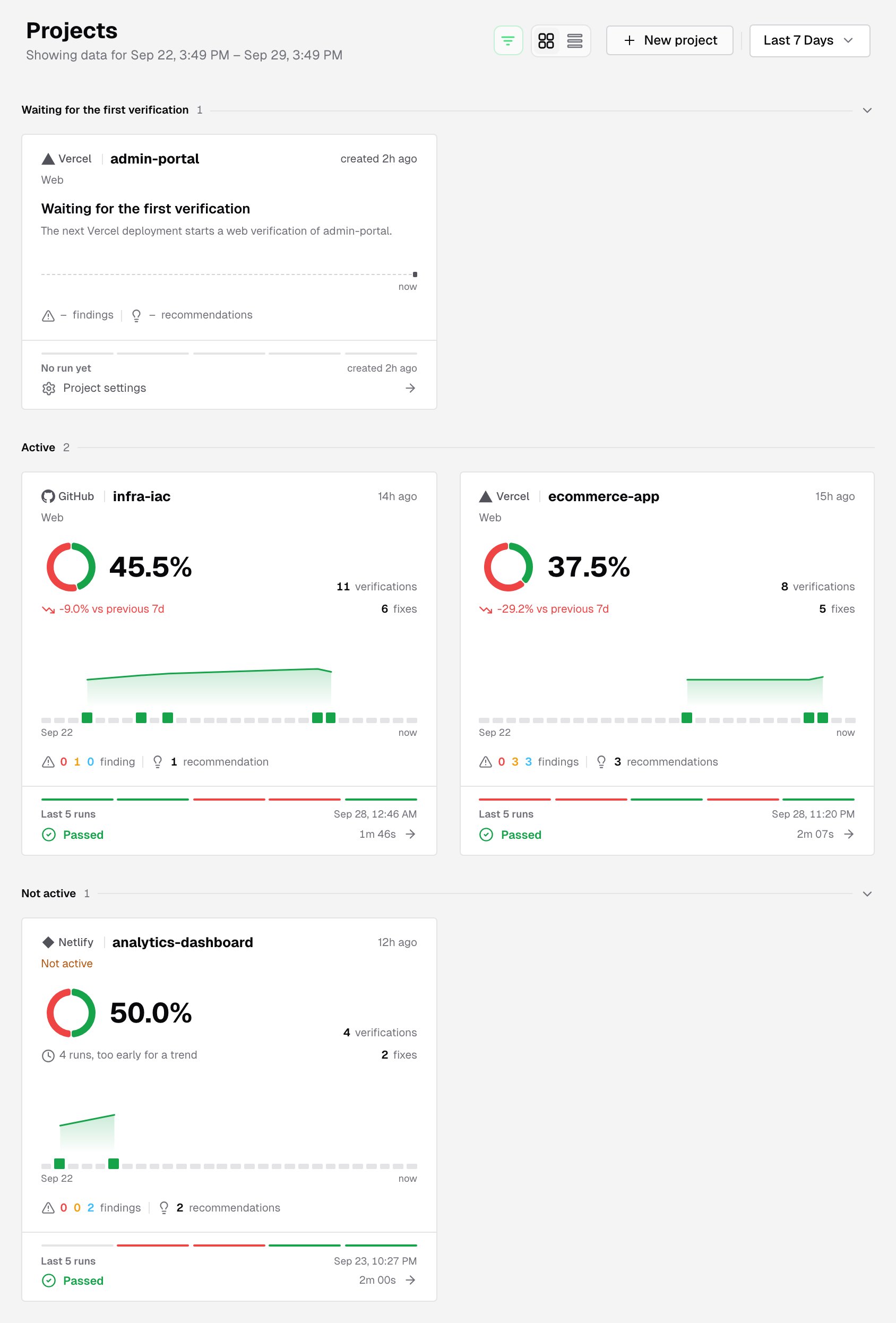
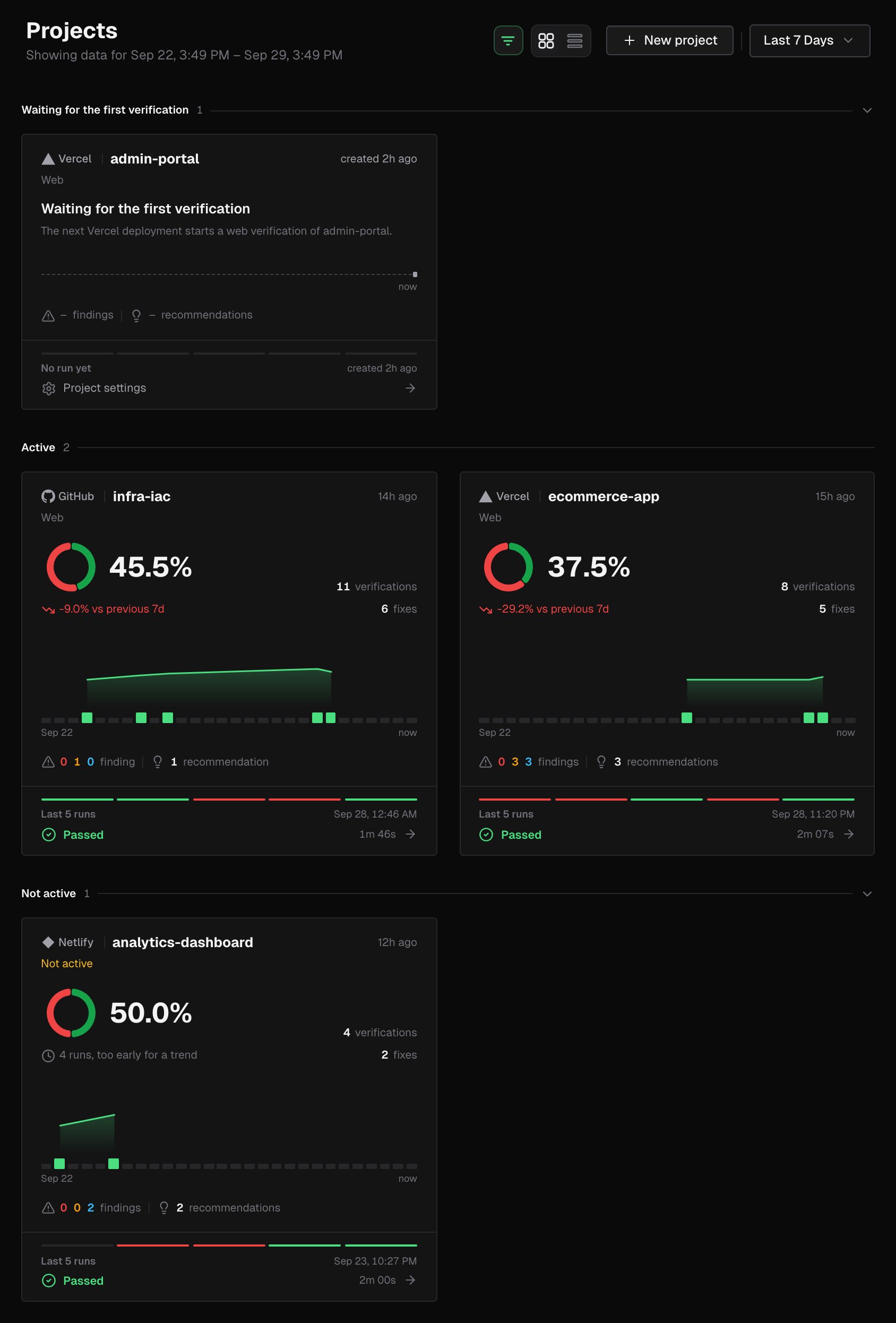
Date range
The date filter in the page header sets the window every number on the page covers. The subtitle shows it as Showing data for a date range.- Pick Last 24 Hours, Last 7 Days, Last 30 Days or Last 90 Days.
- Or pick a Custom Range with a From and To time down to the hour.
Card view
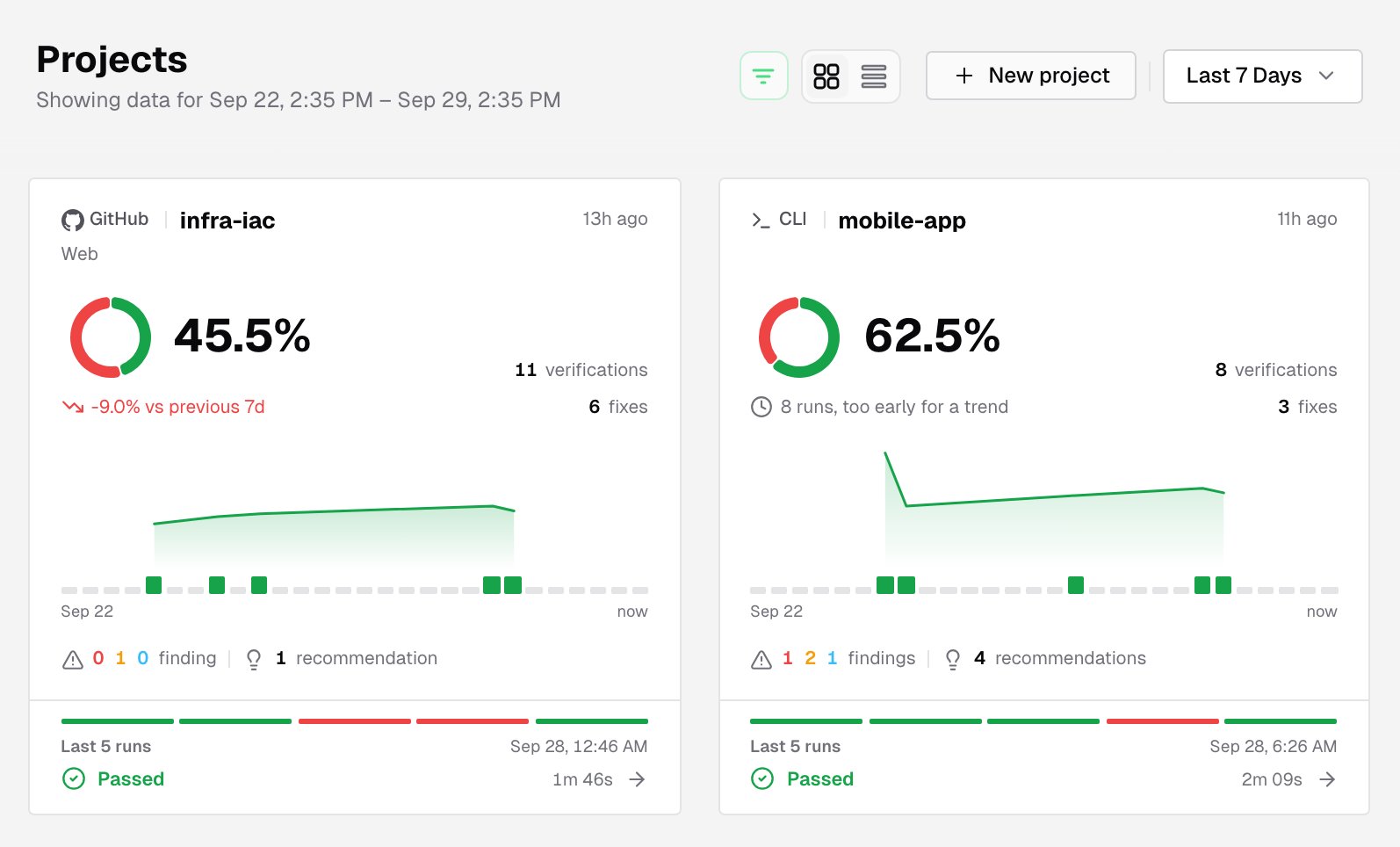
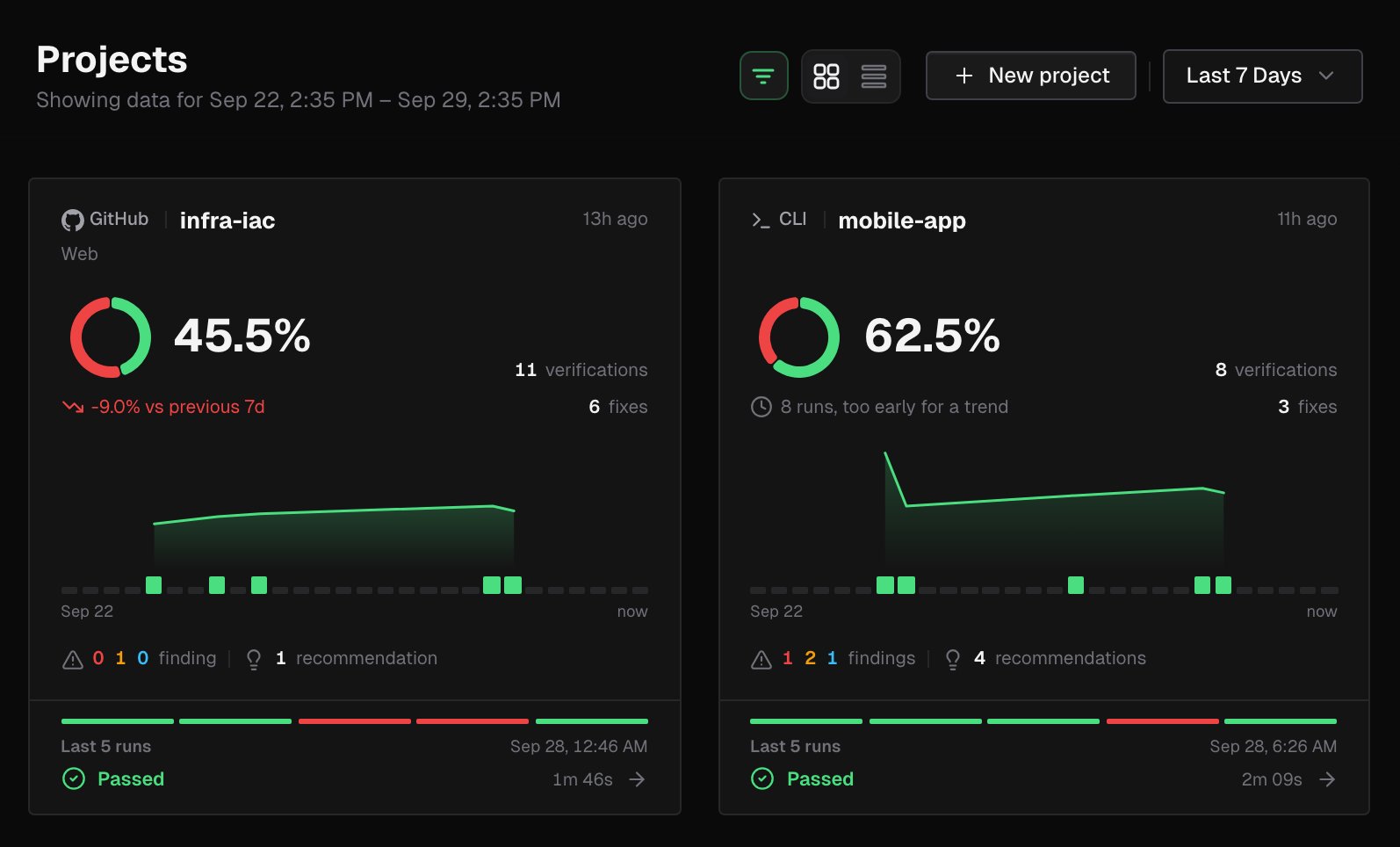
- The name and the provider: GitHub, Vercel, Netlify or CLI. A Live badge means a run is in progress; otherwise the card shows when the project was last active.
- The verification type: Web, API, or No verification type declared. CLI projects leave this line empty, and a project that’s no longer enabled shows Not active.
- The pass rate: a ring and a percentage. Hover the ring for the counts. Below it, the trend against the previous window, such as vs previous 7d. With too few runs, the card says it’s too early for a trend.
- Counts: verifications and fixes in the window.
- A run strip: the window laid out as a time axis. Click a slot to open that run, or the runs in that slice of time.
- Findings and recommendations: the counts link to the project’s Findings and Recommendations.
- The last runs: a rail of the last five results, labeled Last 5 runs, or Running now while a run is in progress. Click it to open those runs.
List view
Switch to the list with the toolbar’s view toggle.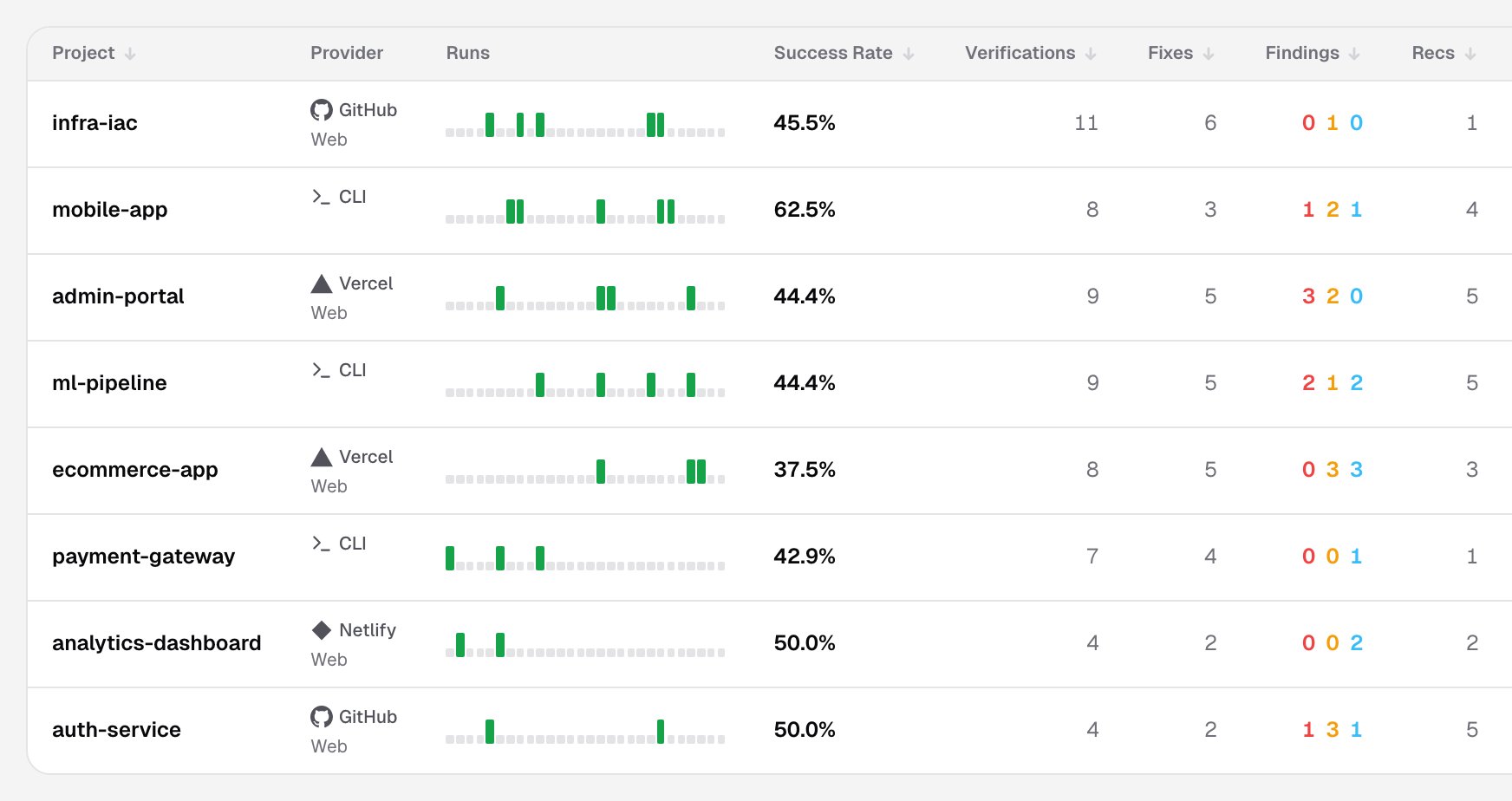
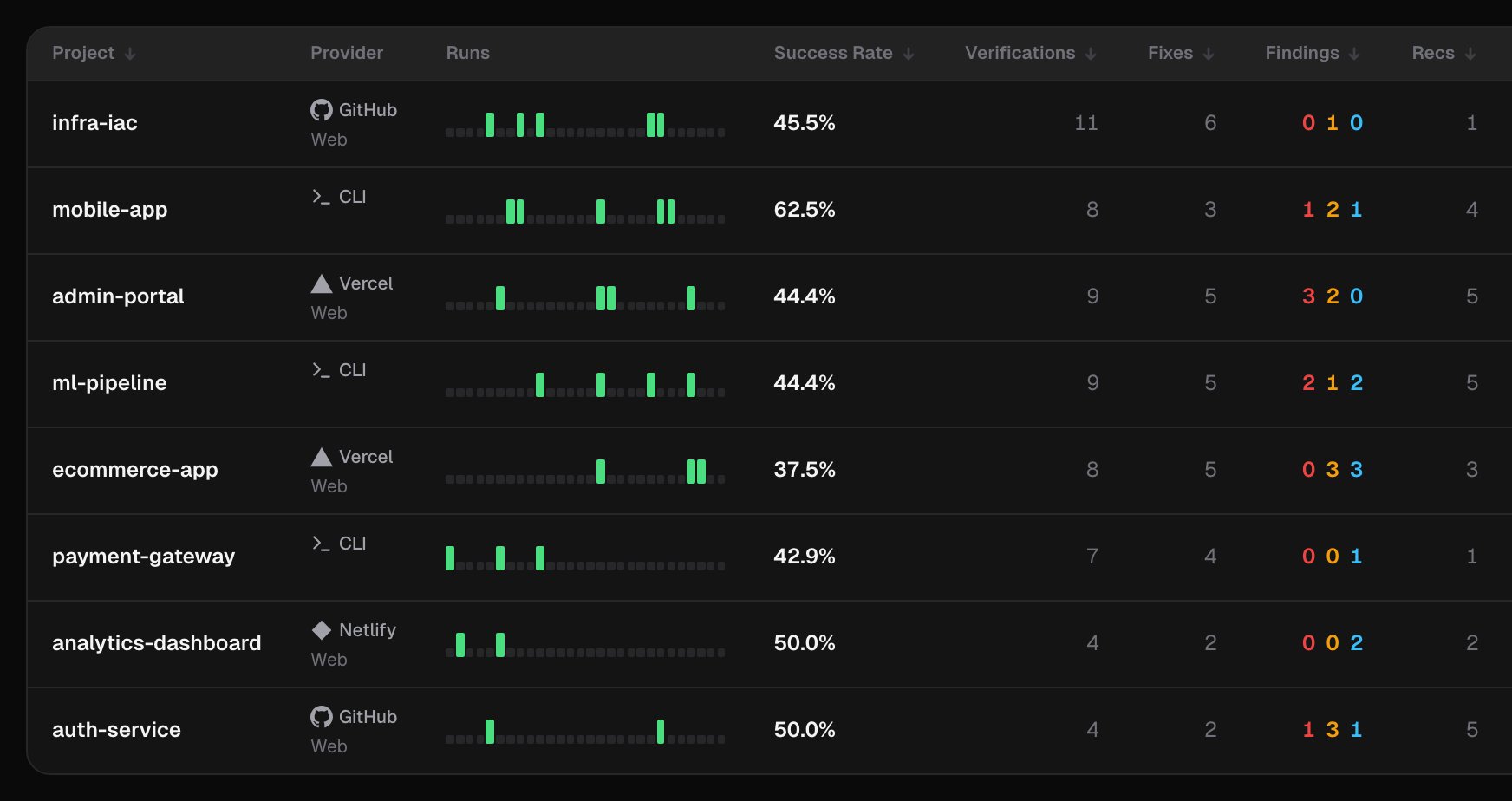
Click a column header to sort, except Provider, Runs and Last Run. In card view, the sort menu offers Project Name, Success Rate, Verifications, Fixes, Findings, Recommendations and Last Activity.
The view you pick lasts until you reload the page. To change the default view, open Settings > Visual and set Default View. On a phone, projects always show as cards.
Quick search
Press⌘K (or Ctrl+K), or click Search projects or anything… in the top bar.
- Type at least 3 characters to find a project by name. Picking one opens its Verifications tab.
- With an empty query, the palette shows your Recent projects and Navigation shortcuts.
Create a project
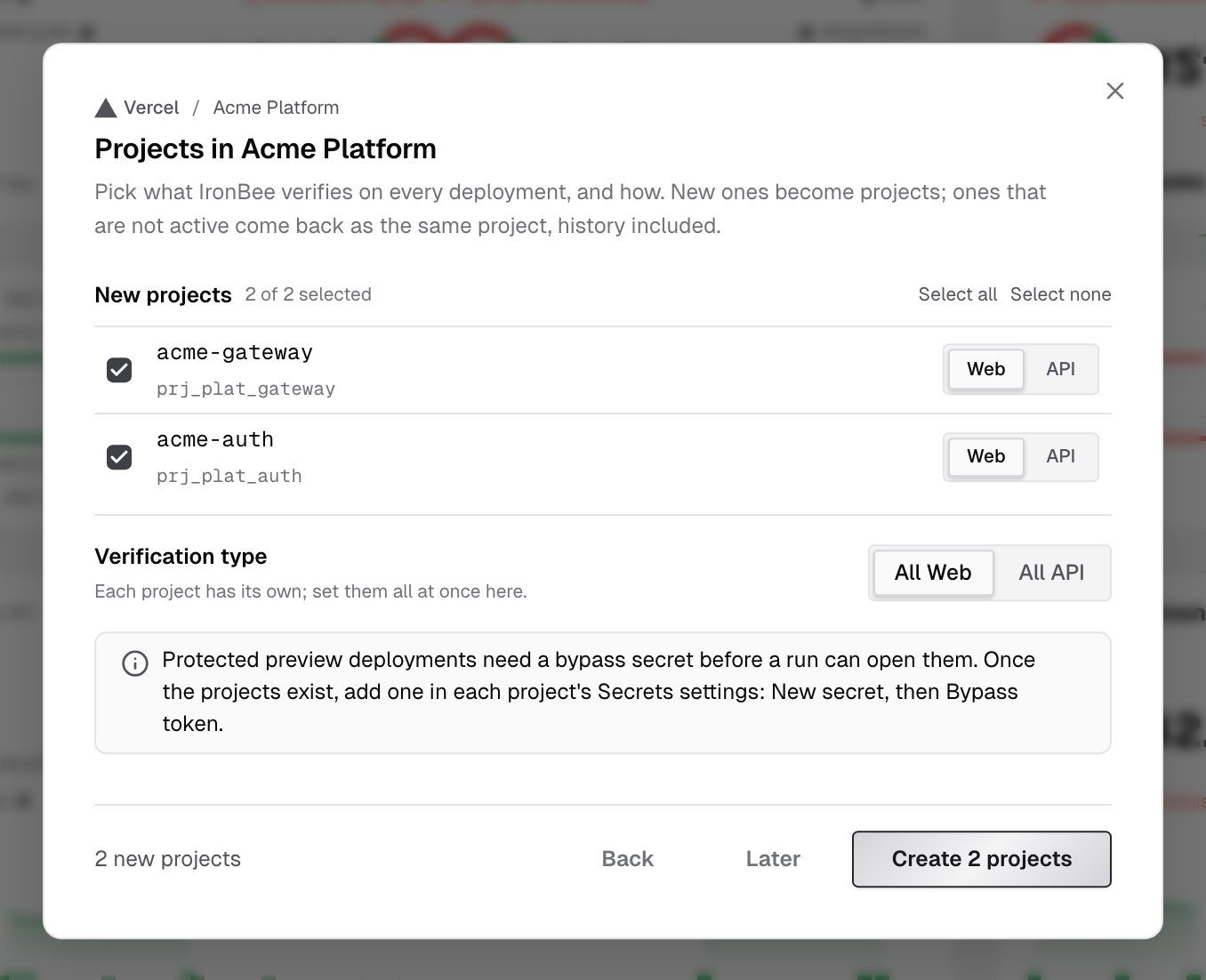
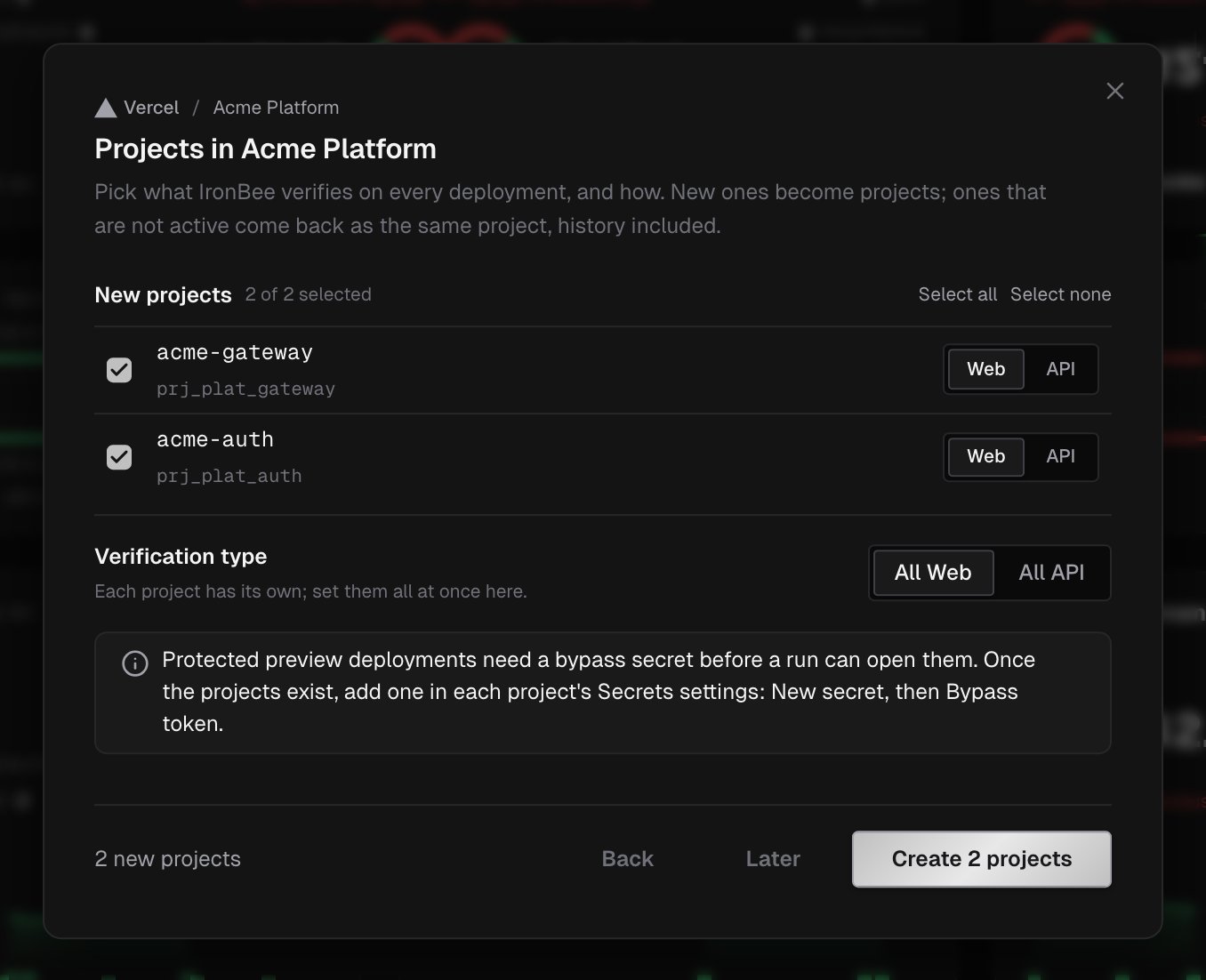
Owners and admins click New project in the page header:- Under Where does it deploy?, pick a connected integration: a GitHub installation, a Vercel team or a Netlify team. Click Continue.
- Select what to verify. New projects lists what isn’t a project yet. Enable again lists Not active projects, which come back with their history and settings.
- Set each project’s verification type: Web or API. Under Verification type, All Web and All API set every row at once.
- Click Create N projects (or Enable N projects).
What’s next?
Verifications
Every verification run of a project.
Project settings
Verification type, environments, variables, secrets and archiving.