
- The account: open Settings > Code wiki. Its defaults apply to every repository, and its Repositories table holds each repository’s own values.
- One repository: open the project, go to its Settings tab and select Code wiki. The page is marked This repository only.
Account settings
The account page opens with Defaults, then the Repositories table.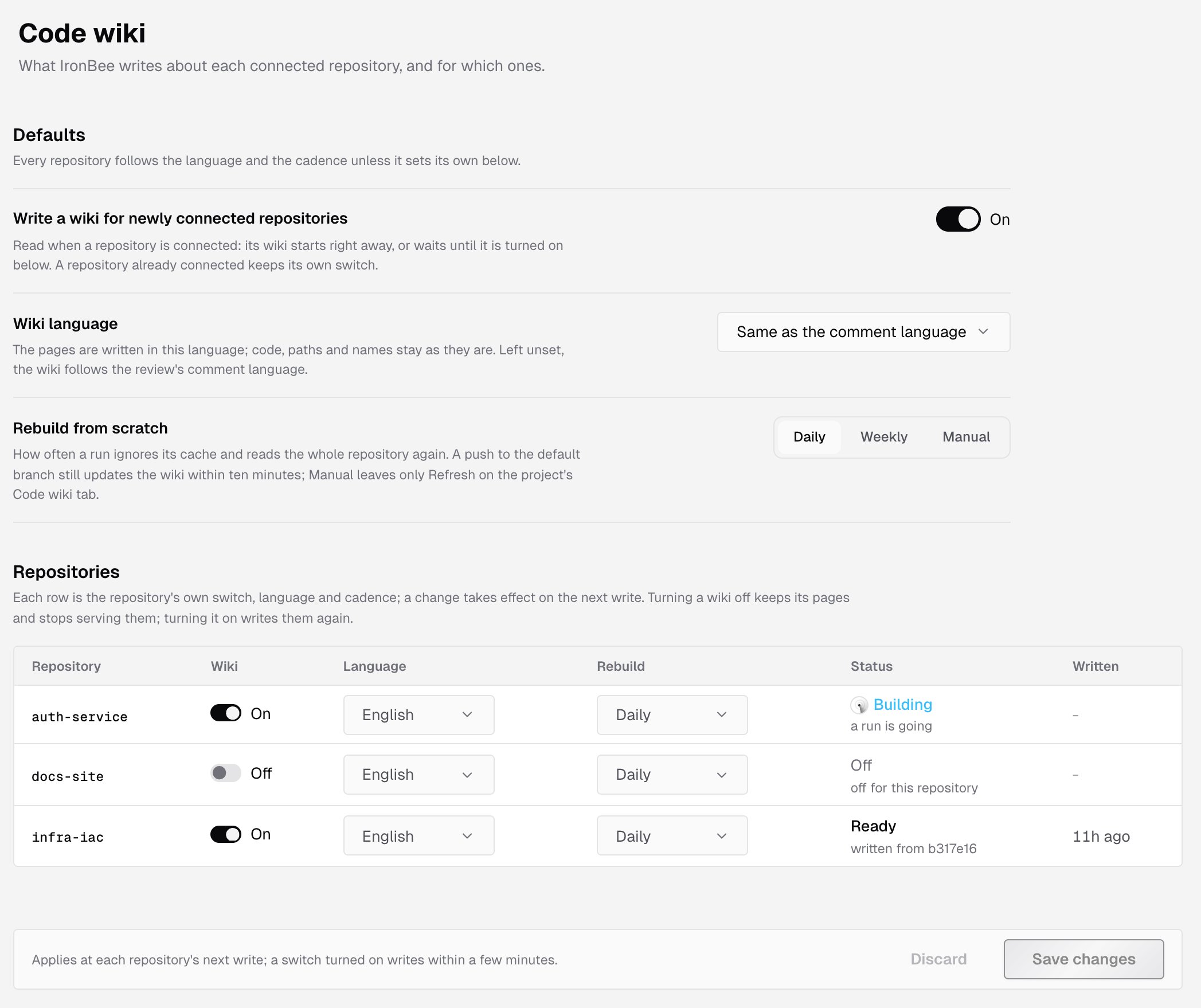
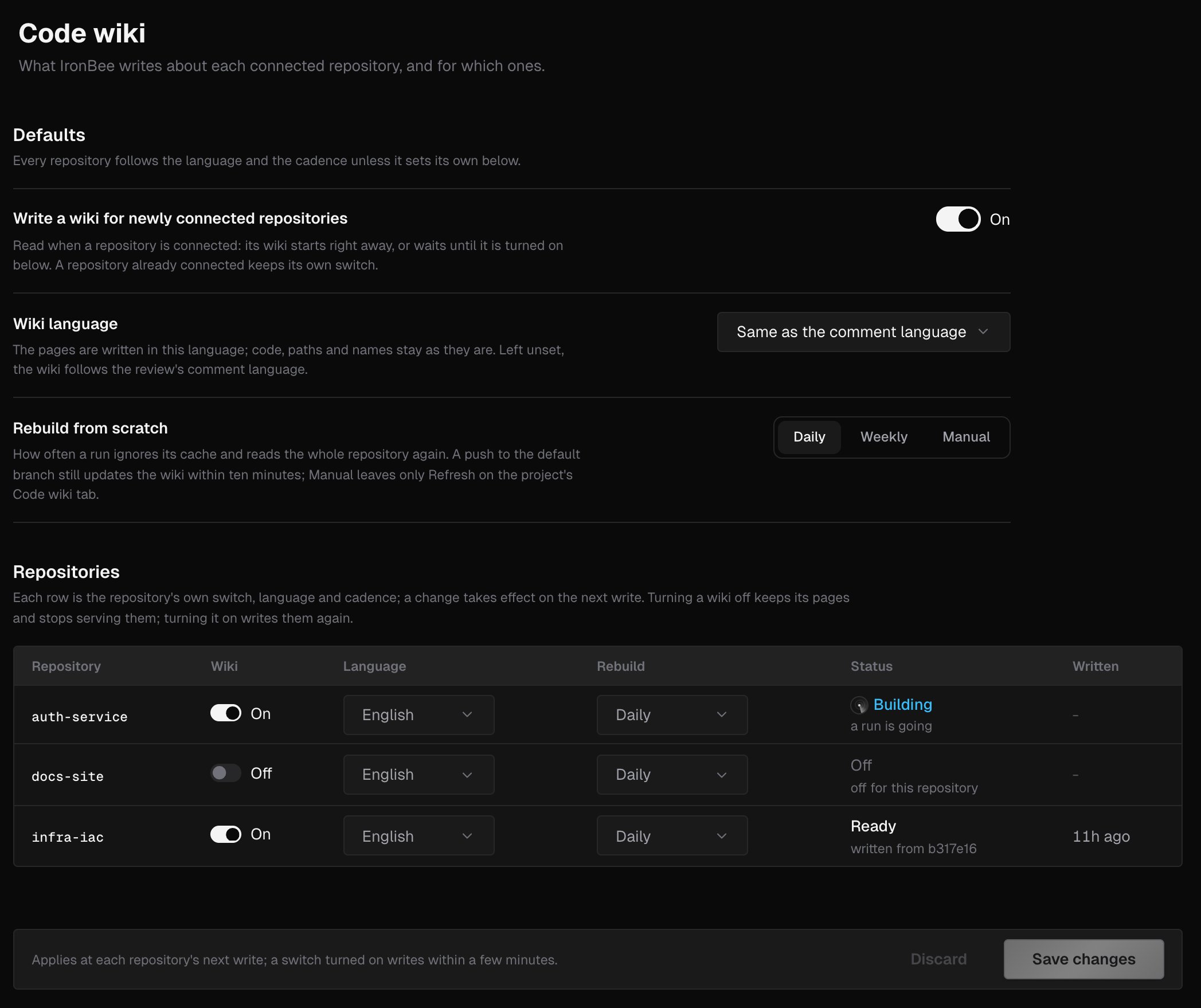
Defaults
When repositories hold their own values, the section counts them, such as 2 repositories set their own.
Repositories
The Repositories table lists every connected GitHub, GitLab and Bitbucket repository whose project isn’t archived. Each row holds the repository’s own settings:
A row that sets its own value shows Reset, which brings it back to the account’s defaults.
The Status column reads:
A change takes effect on the repository’s next write. Turning a wiki off keeps its pages but stops showing them. Turning it on writes them again within a few minutes. Changing the language or the cadence starts no run of its own.
If no repository is connected yet, the table reads No repository connected: “A wiki is written for repositories connected through the GitHub App, a GitLab group or a Bitbucket workspace.” See GitHub App, GitLab and Bitbucket.
Repository settings
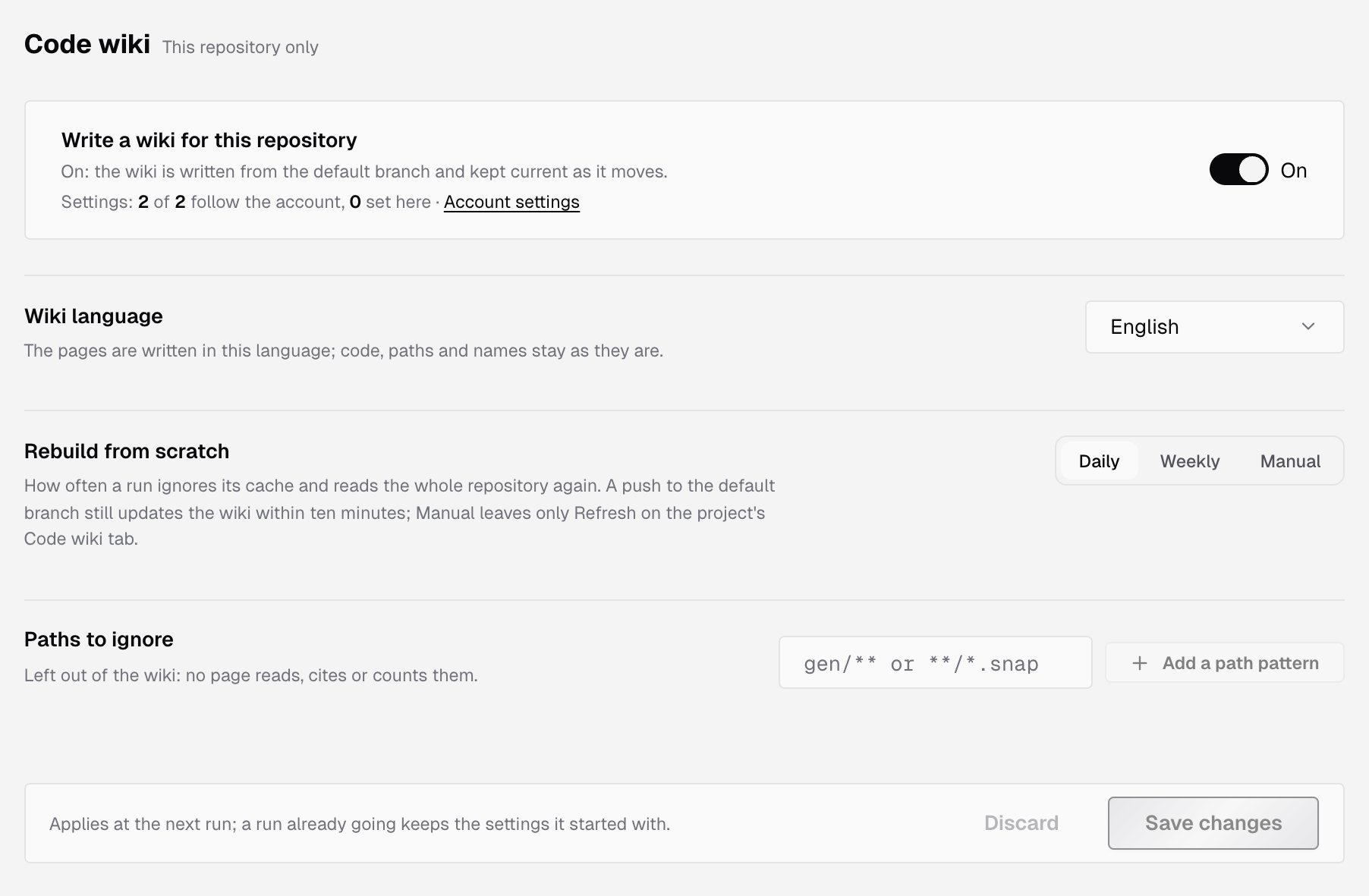
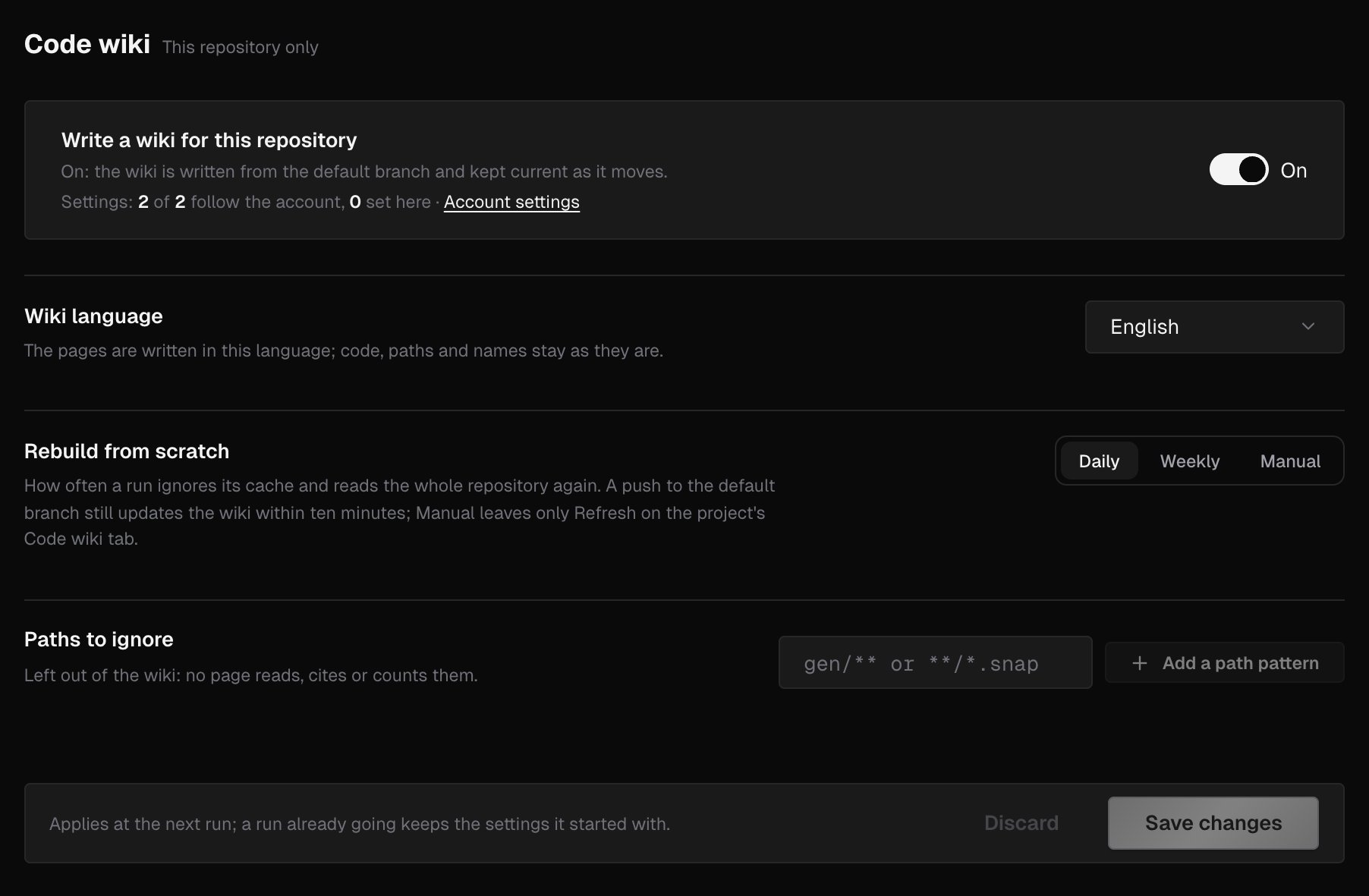
- On: the wiki is written from the default branch and kept current as it moves.
- Off: nothing new is written. The pages already written are kept, not shown.
- Wiki language and Rebuild from scratch, as in Defaults. Change one, and the line under it reads Set for this repository. Click Reset to account default to follow the account again.
- Paths to ignore: files left out of the wiki. No page reads, cites or counts them. Type a pattern such as
gen/**or**/*.snap, then press Enter or click Add a path pattern. This list exists only on a repository’s page.
Paths to ignore
A pattern is a glob from the repository root:* matches within one path segment and ** matches across segments. The list takes:
- up to 100 patterns, of up to 500 characters each
- no leading
/and no..segment - at most 10
**in one pattern - no blank pattern, and no control or text-direction characters
Save your changes
The bar under the form counts what you changed, such as 2 unsaved changes, and says when the change applies:- Account page: at each repository’s next write. A switch turned on writes within a few minutes.
- Repository page: at the next run. A run already going keeps the settings it started with.
Who can change settings
Everyone in the account can see code wiki settings, at both levels. Only owners and admins can change them. Others see Owners and admins change these settings; you can see them. above a read-only form. See Roles and permissions. An archived project’s page is read-only for everyone, and says This project is archived. Unarchive it to change its code wiki settings. See Project settings. The code wiki is written for GitHub, GitLab and Bitbucket repositories only. On a Vercel, Netlify or CLI project, the page says The wiki is written for GitHub, GitLab and Bitbucket repositories, with Open integrations.What’s next?
Code wiki
The pages IronBee writes and how they stay current.
Code review settings
When IronBee reviews a pull request, and what it writes.