
When the wiki is written
- When a repository is connected. Its first wiki starts within a few minutes, unless Write a wiki for newly connected repositories is off. Until it’s ready, the tab reads Writing the first wiki: “A repository takes 5 to 15 minutes to read. This page updates by itself.”
- When the default branch moves. A push to the default branch, such as a merged pull request or merge request, updates the wiki about ten minutes later. Pushes that land close together are written in one update.
- On a schedule. Rebuild from scratch sets how often a run ignores what it read before and reads the whole repository again: Daily, Weekly or Manual, with no scheduled rebuild. A scheduled rebuild is skipped when nothing changed since the last one.
- When you click Refresh. See Refresh the wiki.
The pages
The page list on the left groups the pages under Start here, Architecture and Areas. Type in Filter pages to narrow it. On a narrow screen, the list becomes a menu at the top that shows the current page’s title.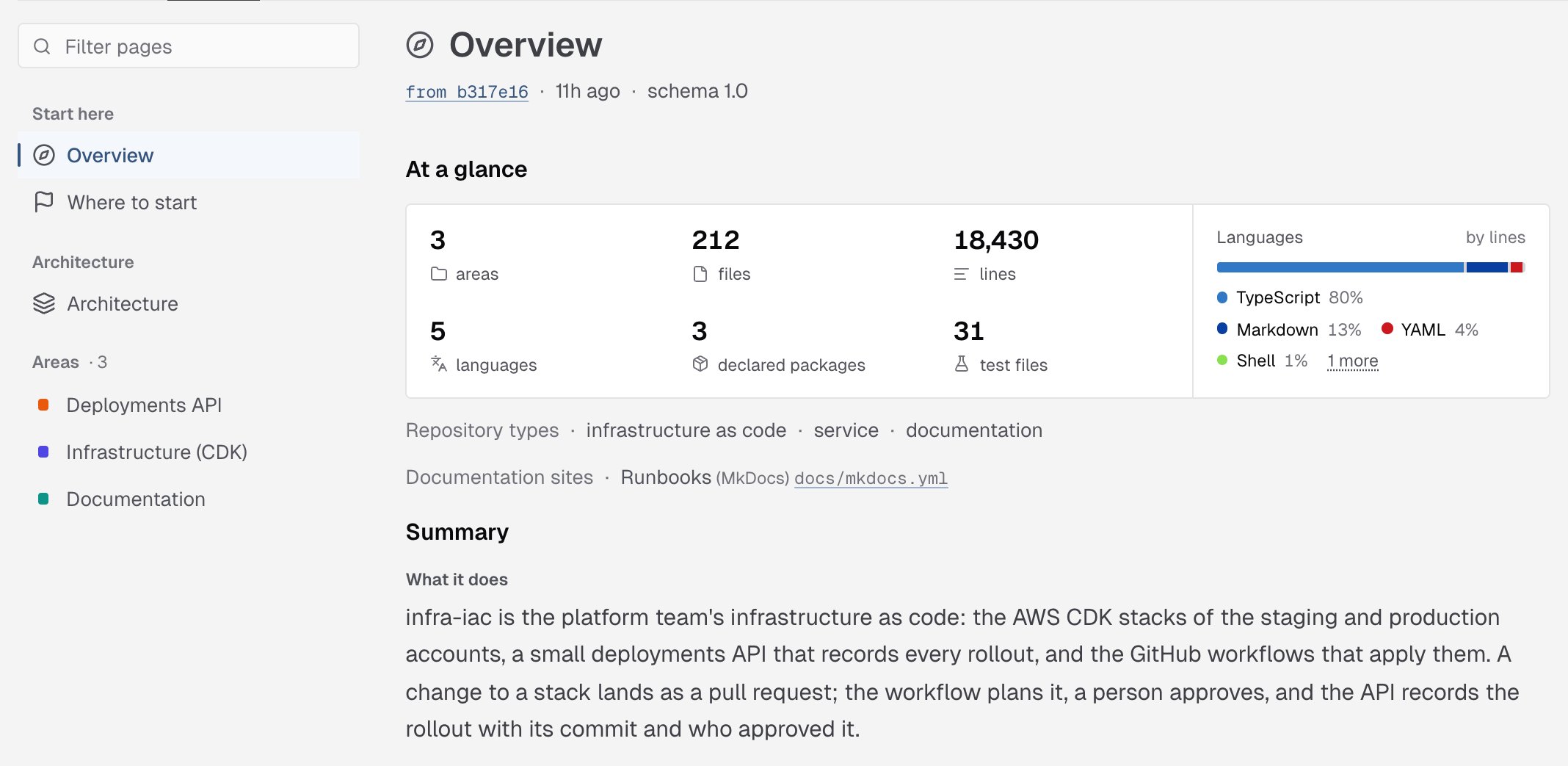
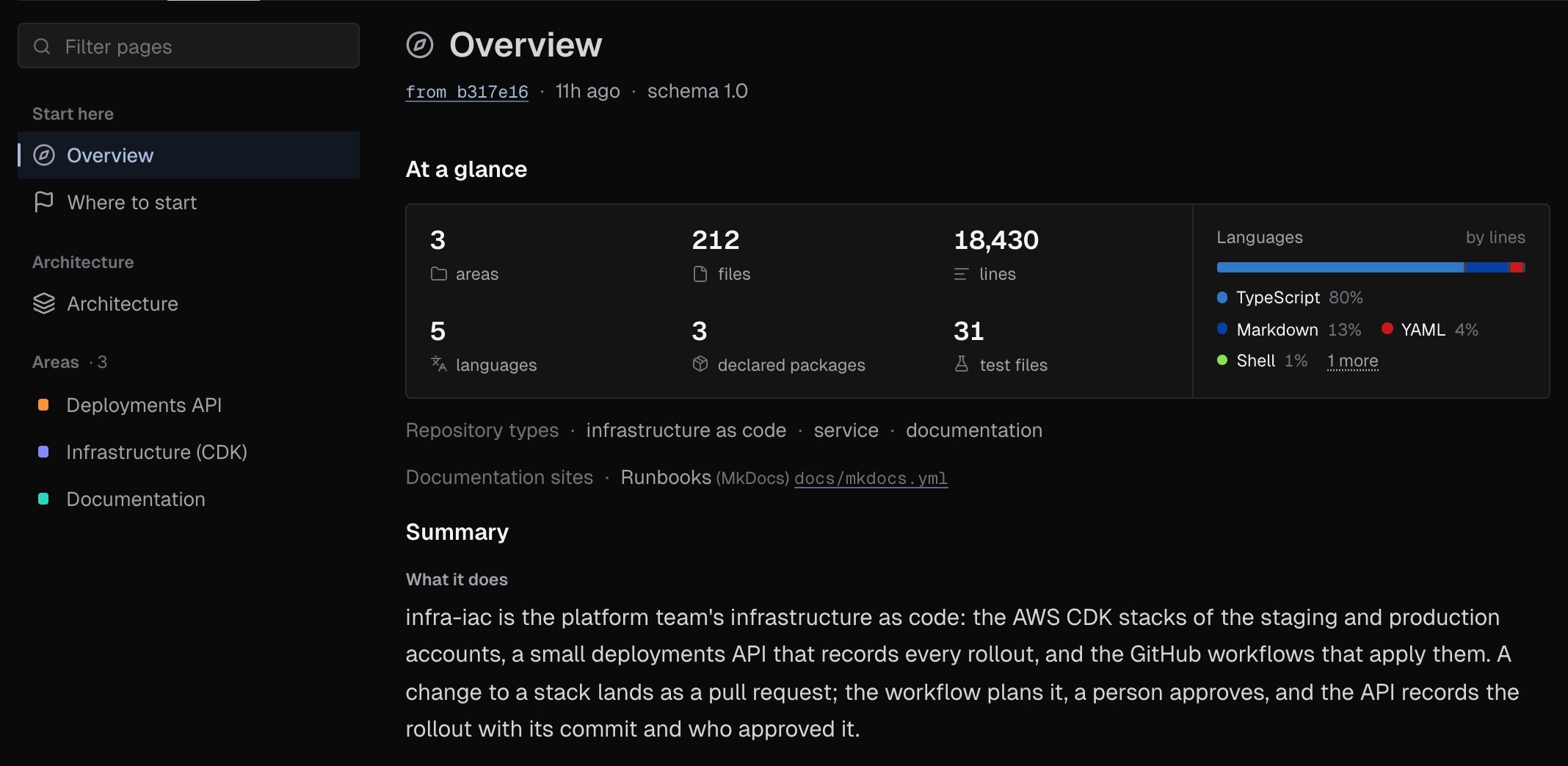
Overview
What the repository is and what it’s made of:- At a glance: the number of areas, files, lines, languages, declared packages and test files, and a bar of the languages by lines.
- Repository types, such as service or infrastructure as code, and any Documentation sites the repository builds.
- Summary: What it does, Main parts, Data in and out, Running and deploying, Building and releasing and What is notable.
- Top-level directories, Languages, Stack, Commands and Recent changes.
Where to start
For someone new to the repository:- Reading order: the pages to read first, each with why.
- Prerequisites: the tools and versions you need, and the CI the repository runs.
- Conventions: the rules the code follows, such as where a kind of file lives or what a handler must never do.
- Every page: links to all the wiki’s pages.
Architecture
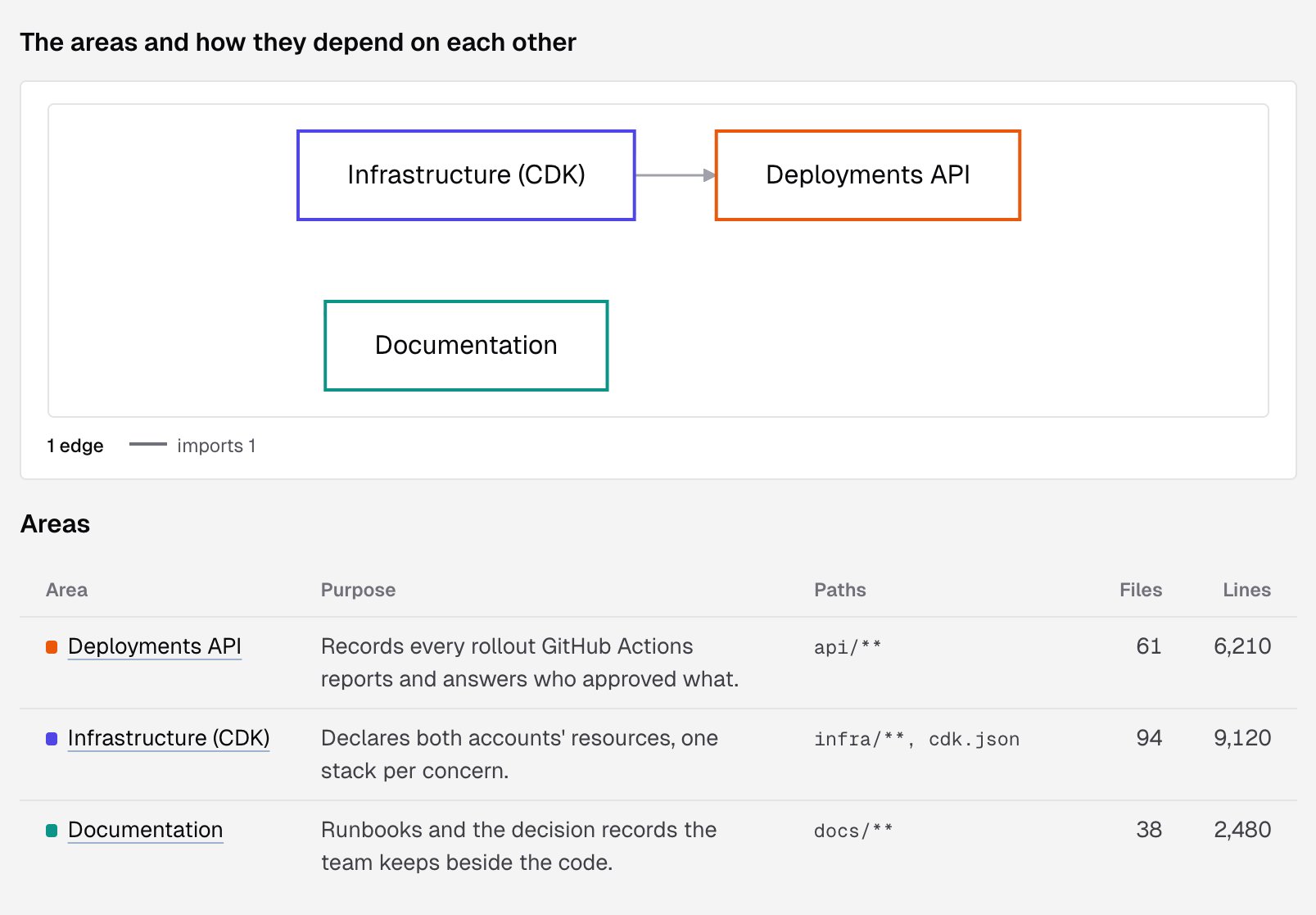
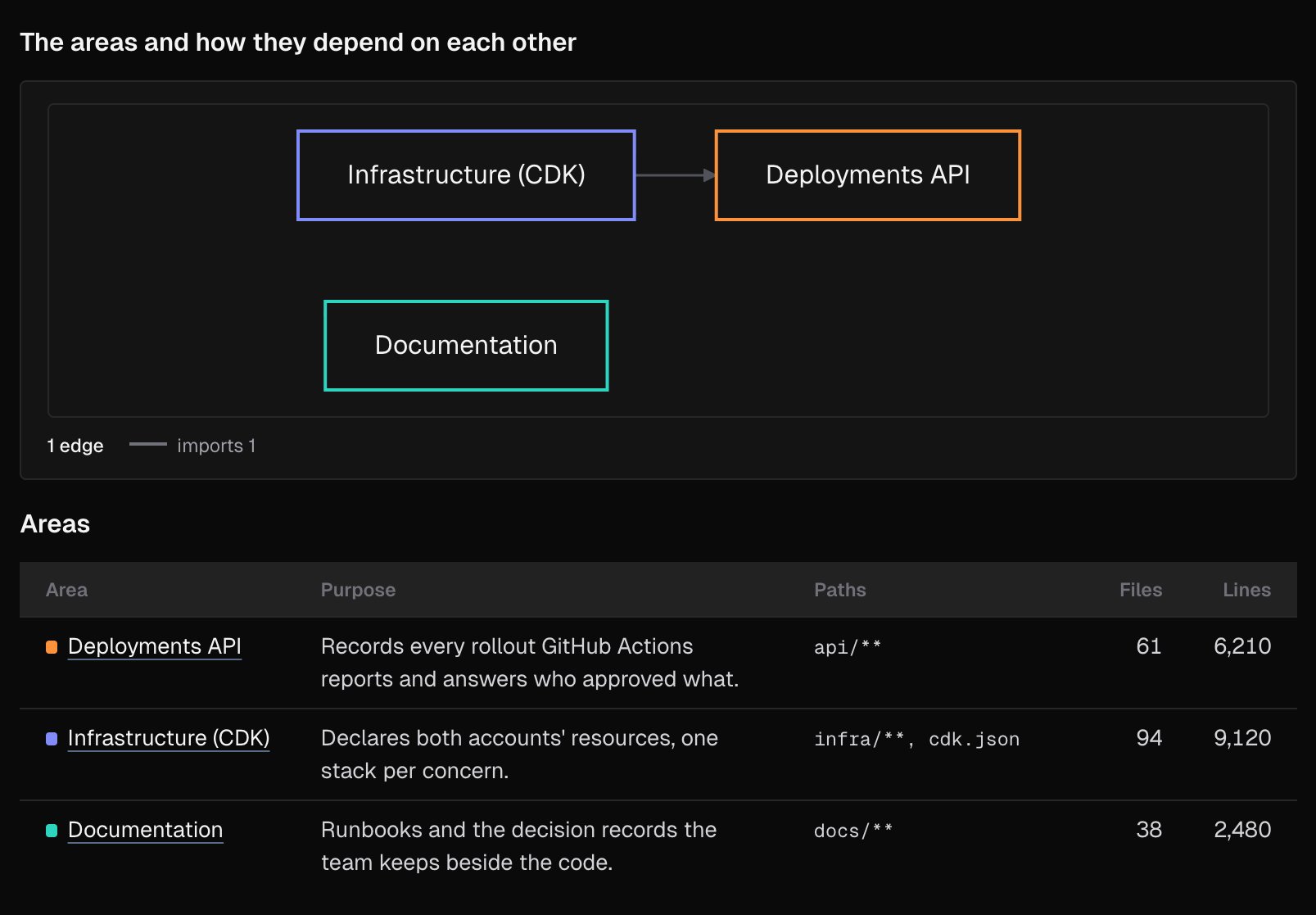
How the repository’s areas fit together:- The areas and how they depend on each other: a diagram of the areas, with an edge for each dependency, such as imports or HTTP calls. On a large repository, it draws the strongest edges of each kind and says how many it left out.
- Areas: every area with its purpose, its paths and its size in files and lines.
- Areas at a glance: how many commands and configuration files each area has.
- Flows: the paths that cross areas, step by step, each step linked to the code it runs.
Areas
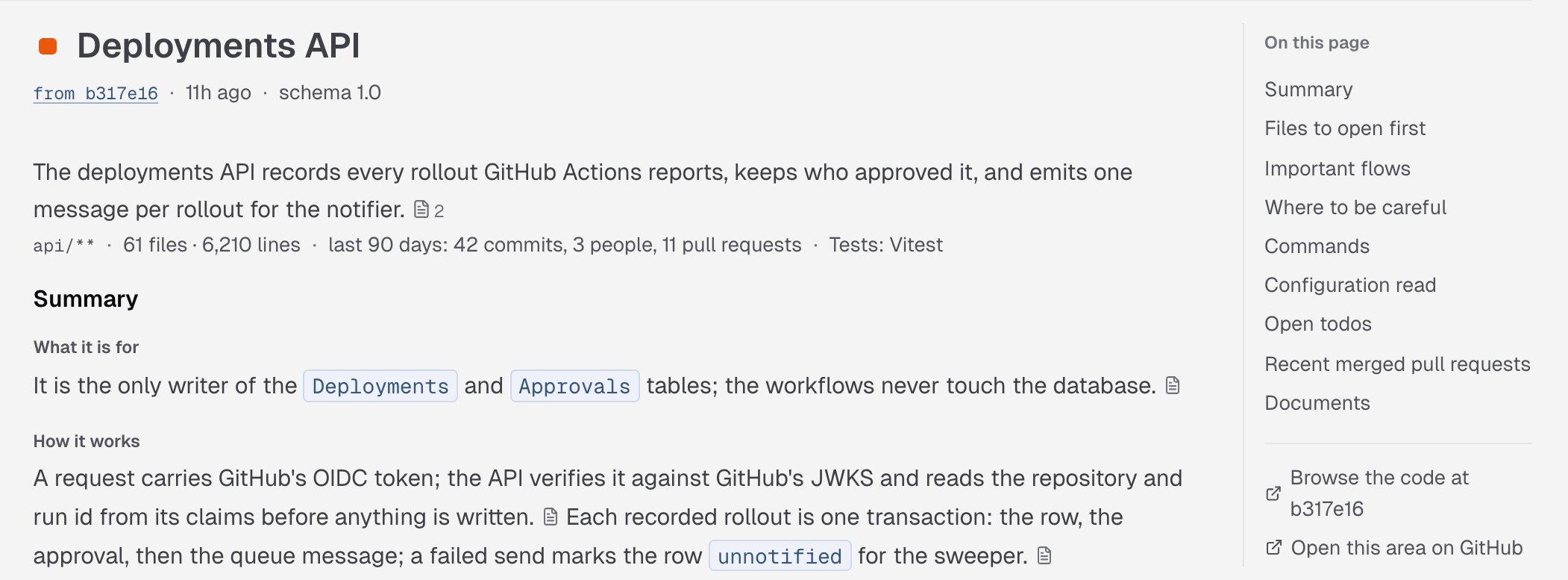
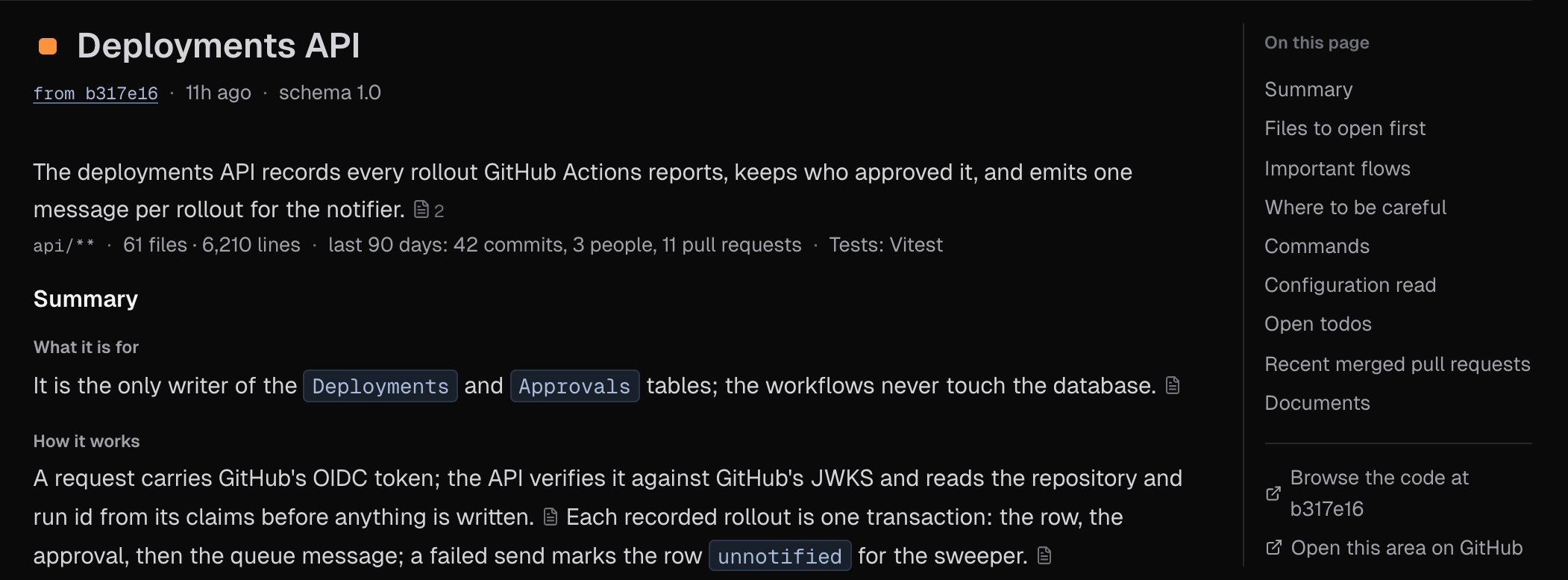
An area is one part of the repository, such as a service, an app, the infrastructure or the docs. Each area has its own page under Areas, and keeps the same color on every page.- Under the title: what the area does, its paths, its size, its activity in the last 90 days, and its test framework.
- Summary: What it is for, How it works, How it fits in and Where things are.
- Files to open first, each with why.
- Important flows, drawn step by step.
- Where to be careful: what’s easy to break, and why.
- Commands, Configuration read, API schemas, Open todos, Recent merged pull requests and Documents. A Bitbucket repository’s wiki has no Recent merged pull requests.
Sources
The wiki says where each claim comes from. A small file mark after a sentence holds its sources, with a count when there’s more than one. Hover over it, or tap it, to see each file and its lines, such asL12–20, at the commit the wiki was written from. Click a source to open it on GitHub, GitLab or Bitbucket.
On this page, on the right, lists the page’s sections. Under it, Browse the code at opens the repository at that commit, and on an area page, Open this area on GitHub, Open this area on GitLab or Open this area on Bitbucket opens the area’s folder.
Refresh the wiki
Click Refresh, at the top right of the tab, to write the wiki again from the default branch now. Refresh queued confirms it; the run starts within a few minutes and the tab follows it. You can refresh a repository’s wiki once an hour. Within the hour, IronBee says Refreshed less than an hour ago, again at a time. The button is unavailable while a run is already going, or while the wiki is off for the repository.When there’s no wiki to show
If a later run fails, the tab keeps showing the pages from the last run that finished, under The last run could not finish. The next push to the default branch, or Refresh, starts a new run.
Who can see and do what
See Roles and permissions.
What’s next?
Code wiki settings
Choose which repositories get a wiki, its language and how often it’s rebuilt.
Code review
Reviews of every pull request and merge request in the same repositories.