
What a scan finds
A scan reads the code and writes a record for each problem it finds. Every record has a verdict:
A scan can confirm a finding only when it may run the repository’s code. That’s the Execution setting, and it’s off by default. With Execution off, a scan reads the code and never runs it, so everything it finds stays a lead to validate.
Code security works in the console only. It posts no comment, check or status on a pull request or merge request, and it changes nothing in the repository.
To read the records and decide on them, see Security records and runs.
Turn it on
Open the project’s Code security tab. While it’s off, the tab says Code security is off for this repository. Click Turn on. You can also turn on Scan this repository in the project’s settings.

When a scan runs
- On a schedule. Scheduled scan sets how often a scan comes: Daily, Weekly, Every two weeks or Monthly. A period in which the default branch didn’t move scans nothing and costs nothing.
- By hand. Run full scan starts one now. See Run a full scan.
A scan takes up to two hours. One scan runs at a time in your account, so a second one waits its turn.
Where a scan stands
Until a scan has finished and its records are ready, a band at the top of the tab says where things stand:
A band for a full scan says so, such as A full scan is running.
While a scan waits or runs, the band follows it under Where the scan stands: Waiting to start, Preparing, then Scanning the code. It also shows the Scan kind, the Profile, whether Execution is on, the repository’s Size and the Credits estimated for the scan.
When the scan ends, the console tells you what it recorded and what was charged, such as The scan finished. No scan was needed means the branch had not moved since the last scan.
The scan summary
Under the band, three cards sum up the repository: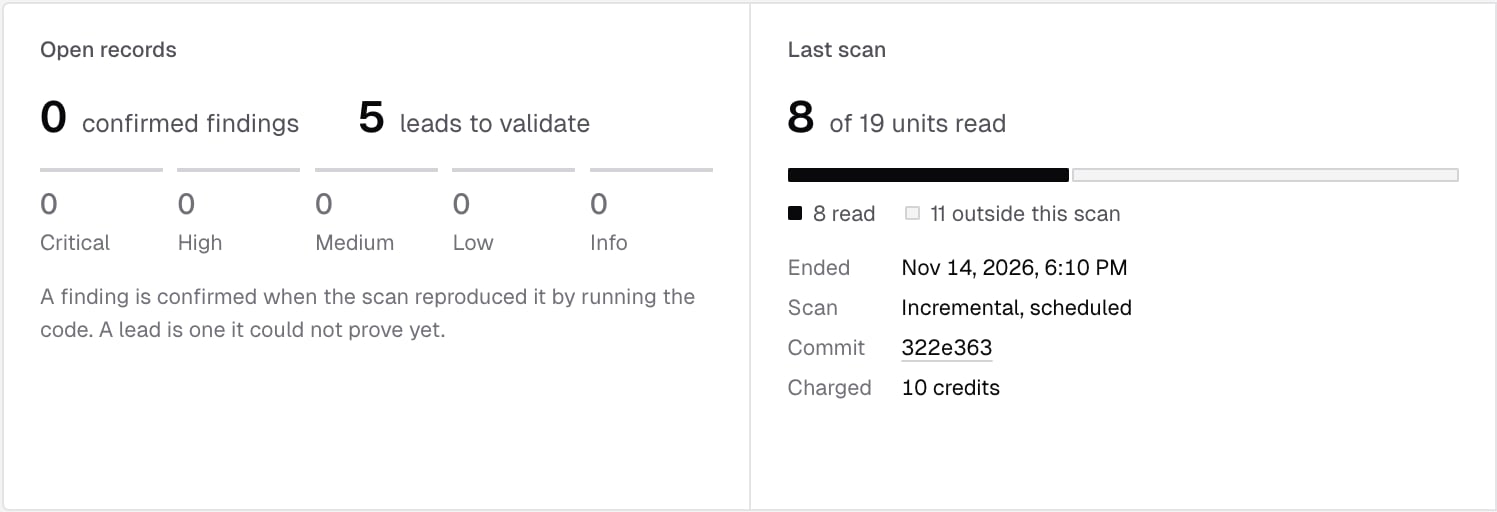
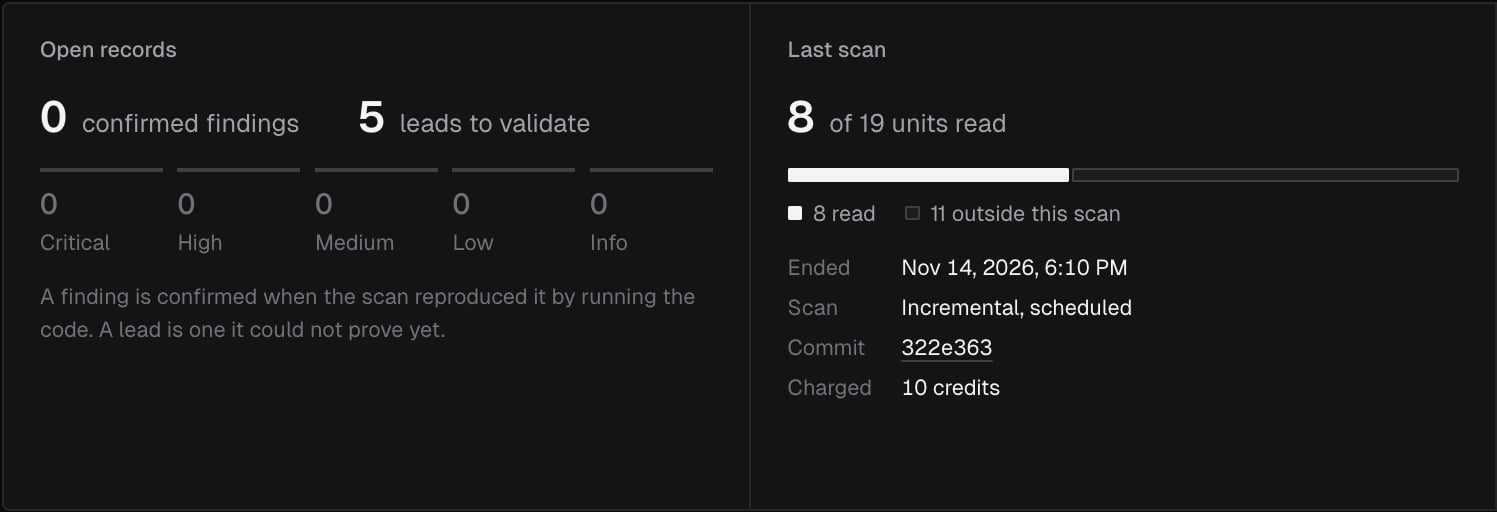
- Open records: how many confirmed findings and leads to validate are open, and the confirmed findings by severity.
- Last scan: how much of the repository the scan read, as units. The bar splits them into read, put off, outside this scan and blocked. Units put off are read by a follow-up run, free. Below the bar: Ended, the Scan kind and what started it, the Commit it read, and the credits Charged.
- Next scan: what the next scan costs If the code changed and If nothing changed, and what A full scan, run by hand costs, with the Schedule, the Profile and the repository’s Size. Rate card opens Usage. Before the first scan, the card says its price is counted before anything is read.
Run a full scan
Click Run full scan on the Next scan card to scan the whole default branch now, whatever changed. A dialog asks Run a full scan of the project, and shows what the scan costs before you confirm:- the scan’s price at the repository’s size and profile, and what Execution adds when it’s on
- This scan, the total, and Left this month, after it
- code security is off for the repository
- a scan is already waiting or running
- the project is archived
- no credits are left this month
- you ran one recently: Run recently, again at a time
Credits
A scan uses credits from the same monthly pool as code review and verification. Its price depends on the repository’s size, counted in lines outside the paths to ignore, on the Profile and on Execution. A full scan costs more than a period with changes.- The price is counted at the start of the scan, before anything is read.
- A scan is charged when it finishes. A scan that fails, or is refused, costs nothing.
- A period in which nothing changed costs nothing.
- A follow-up run, which only finishes an earlier scan, is never charged.
- A scan the team’s credits can’t cover is refused, free.
When there’s no code security to show
When code security is turned off for a repository, its records and runs are kept but not shown. Turn it on again to see them.
Who can see and do what
Members and billing admins don’t see the Code security tab or its settings pages. See Roles and permissions.
What’s next?
Security records and runs
Read a record, decide on it, and see every scan that ran.
Code security settings
Choose the profile, the schedule, execution and the paths a scan leaves out.