
To review pull requests in your own GitHub Actions instead, with your own model, use the self-hosted runner. IronBee then never calls your host, so nothing on this page is needed, and it also serves a server IronBee can’t reach from the internet.
The address IronBee calls from
Every call IronBee makes to GitHub comes from one IPv4 address,52.35.245.203: code review, the code wiki, code security, the checks and comments of verification runs, git over HTTPS, and signing in to IronBee with GitHub. Add it wherever a policy of yours filters by address: an IP allow list, an identity provider’s conditional access policy, or a firewall in front of your server. Name the entry IronBee.
The registration form in the console shows the same address, under IronBee’s address.
Enterprise Cloud organizations
When your organizations are on github.com, in a GitHub Enterprise Cloud enterprise, you install the same IronBee GitHub App as anyone else, from the console. There is nothing to register, and no IronBee plan is asked for. What can stop IronBee is a policy of your own.IP allow lists
If your organization or your enterprise keeps an IP allow list, GitHub refuses IronBee’s calls until IronBee’s address is on it, and nothing is reviewed or analyzed. On each allow list that covers the organizations IronBee works on, do one of these:- Import IronBee’s address. In the organization’s or the enterprise’s settings, under Authentication security, turn on Enable IP allow list configuration for installed GitHub Apps and save. GitHub adds the address the IronBee App declares.
- Add it yourself. Add an entry for
52.35.245.203, named IronBee.
Conditional access policies
Under Enterprise Managed Users with an identity provider’s conditional access policy, GitHub also checks the calls IronBee makes on a person’s behalf against that policy: the authorization when someone installs the App, and signing in to IronBee with GitHub. Add IronBee’s address to the policy’s allowed locations in your identity provider, such as a named location the policy allows in Microsoft Entra ID. GitHub checks the IP allow list and the policy separately, so the address goes in both.Who may install the App
If your organization lets only its owners install GitHub Apps, a member’s install sends a request to the owners. An owner installs the App, or approves the request, and IronBee connects when they do.Your own workflows under an IP allow list
The IronBee GitHub Action and the self-hosted runner run in your workflows and call GitHub with the workflow’s own token, from the runner’s address, not from IronBee’s. Under an IP allow list, GitHub accepts that token only from listed addresses: run these workflows on your own runners, or on GitHub’s larger runners with static IP addresses, and list those addresses. GitHub’s standard hosted runners have no fixed address, so the workflows fail there.Managed users’ own repositories
Under Enterprise Managed Users, GitHub lets no third-party App be installed on a managed user’s own account. IronBee covers your organizations’ repositories, not the repositories a managed user owns.Register a tenant or a server
A GitHub App made on github.com can’t be installed on a GHE.com tenant or a GitHub Enterprise Server. So you register your host in the console, and IronBee creates its own App there, owned by one of your organizations. Code review, the code wiki, code security and verification then work on the host’s repositories as on github.com. Data residency. A GHE.com tenant’s data residency covers what GitHub itself stores. IronBee processes your repositories’ code in the United States (AWS us-west-2, Oregon), whichever region your tenant is in.Before you start
- The Enterprise plan. Registering a host needs it. On another plan, the GitHub Enterprise section reads Needs the Enterprise plan and shows no form. A host registered earlier keeps working whatever the plan becomes. See Pricing.
- The owner or admin role in IronBee, to register a host, accept installations, replace a CA bundle and delete a host.
- An owner of the organization that will own the App, signed in to the host in the same browser. Choose the organization with care: an installation on it connects at once, and one on any other owner waits until someone accepts it in IronBee.
- On a GitHub Enterprise Server:
- version 3.19 or newer
- the server’s own host name: the name the instance is configured with and writes in its addresses. Not an alias and not an IP address, with at least two labels (
github.acme.com, notgithub), no port and no path. It must resolve to public addresses only, an IPv4 address among them - the certificate of the authority that signed the server’s certificate, when it isn’t a public one: a self-signed certificate, or your company’s own authority
The network
Set it before you register: the registration calls your host. A GHE.com tenant. If your enterprise or an organization keeps an IP allow list, add an entry for52.35.245.203, named IronBee, on each one that covers the organizations IronBee works on.
A GitHub Enterprise Server. Two directions:
- In: let IronBee’s address in on TCP 443, in the firewall in front of the server and in any other rule that filters who reaches it. Without it, the registration stops, and later every review, wiki, code security scan and verification of the server’s repositories fails.
- Out: your server sends the App’s events to
integrations.ironbee.aion 443. That name’s addresses change, so there is no address to allow. If the server’s outbound traffic is filtered, allow the name in its outbound proxy or in a firewall rule by name. Without it, no event reaches IronBee: no pull request is reviewed when it opens or changes, no comment is answered, no wiki is built on a push, and nothing on IronBee’s side shows an error. A firewall that takes addresses only can’t be served yet.
Fill in the form
In the console, open Integrations and select GitHub. In the GitHub Enterprise section, click Register a host. The Register a GitHub Enterprise host form asks for:
The form also shows IronBee’s address, the Webhook host for a server, and Where the code is processed, which reads “IronBee processes the repositories’ code in the United States (AWS us-west-2, Oregon).”
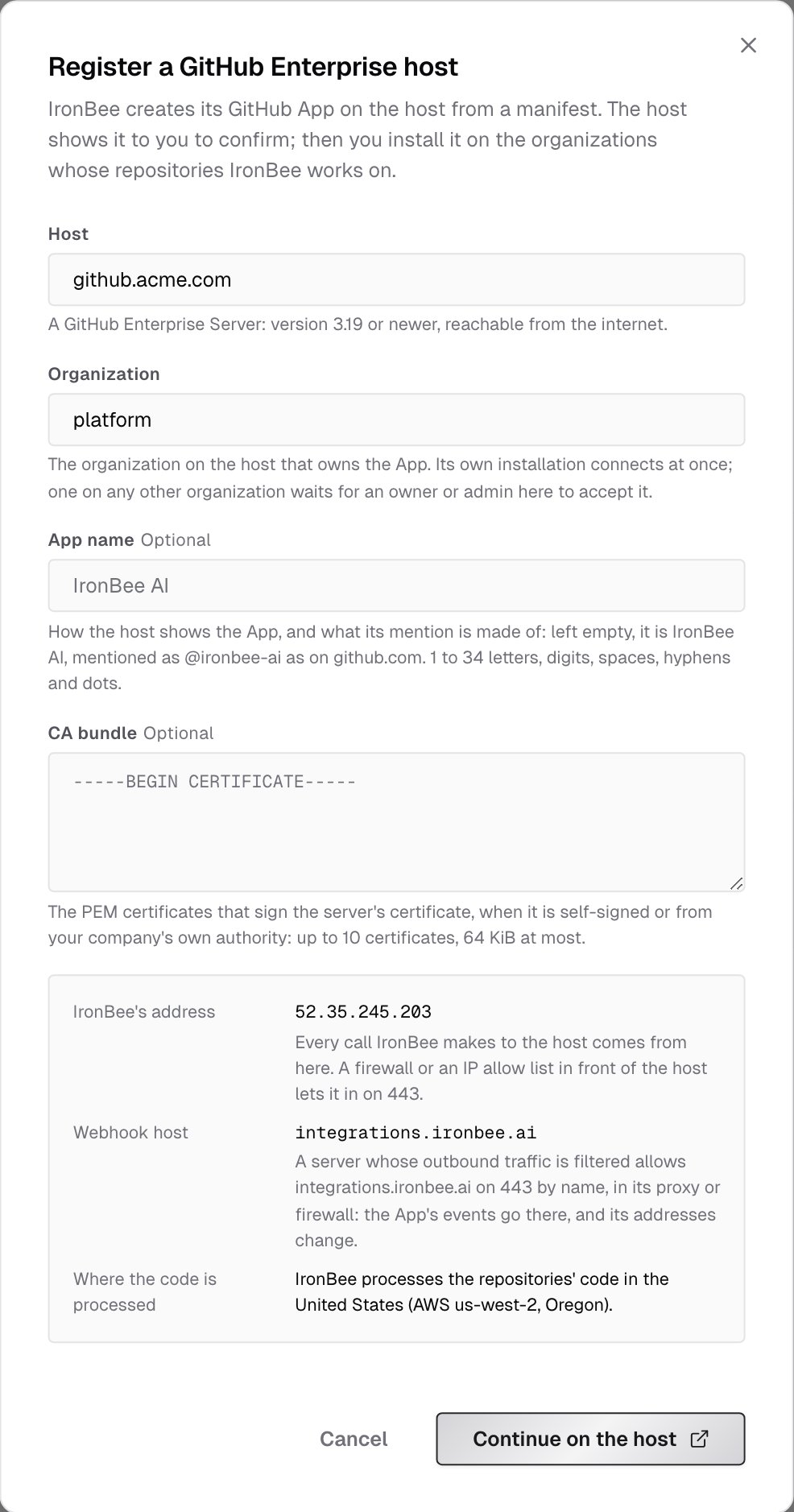
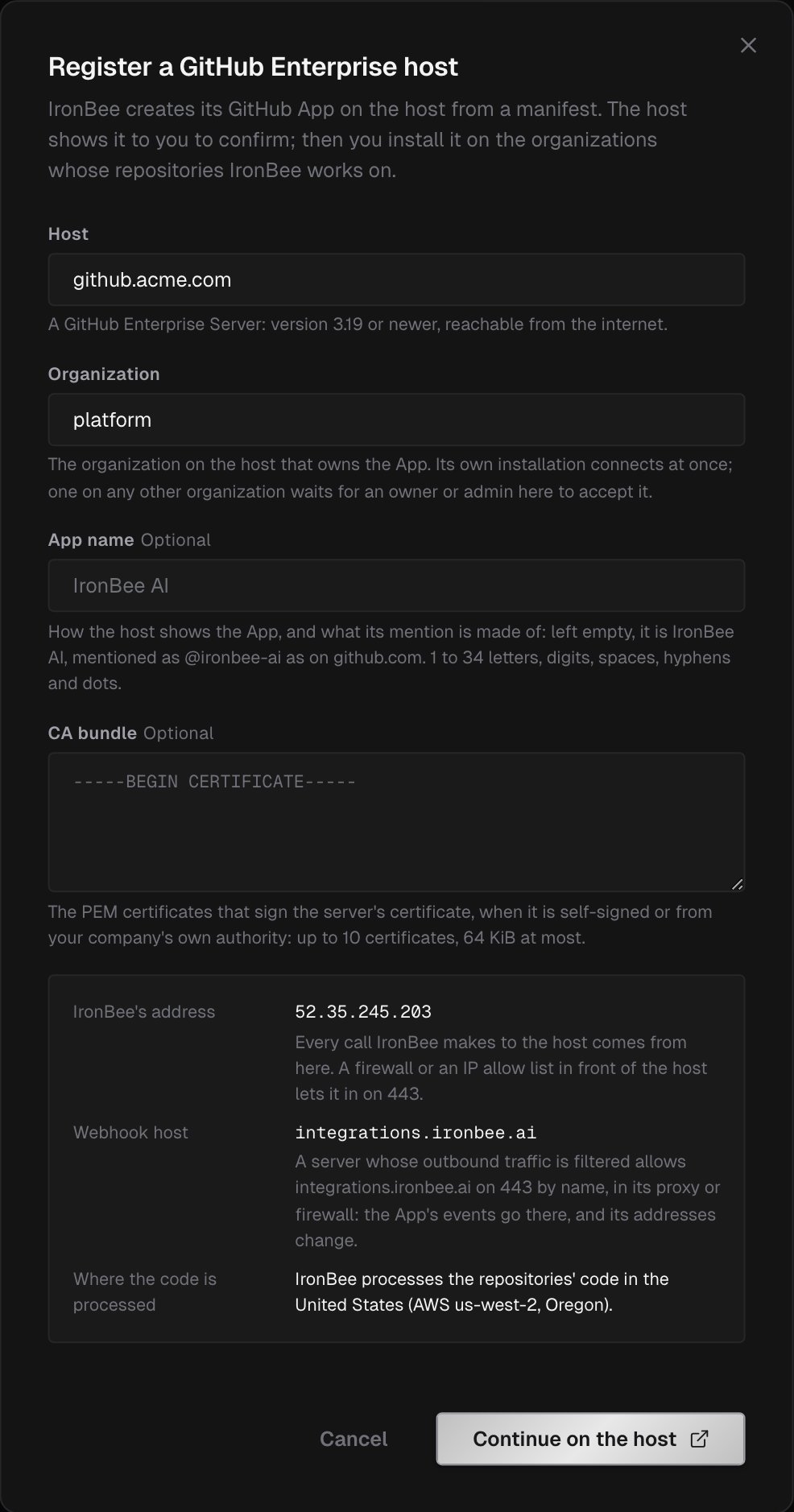
It also refuses a host that isn’t a GHE.com tenant or a server name of the shape above, an organization name GitHub wouldn’t take, an App name outside the rule above, and a CA bundle that isn’t 1 to 10 readable certificates.
Create the App on the host
Within one hour:1
Open the new App's page
Your browser goes to the organization’s page for a new GitHub App on your host, filled in by IronBee.
2
Create the App
Create it on that page. Leave its permissions and events as they are: IronBee checks each one.
3
Come back to IronBee
Your host sends you back to IronBee, which finishes the registration and opens the App’s install page. See Install the App.
If the registration stops
Once you’ve created the App, its one-time registration code is spent. When a page of IronBee’s stops the registration after that, the host is listed in the GitHub Enterprise section as Registration not finished. Delete the App on your host (the page links its settings), then register the host again: the new registration writes over the unfinished one. To give up instead, remove the host with Delete.Install the App
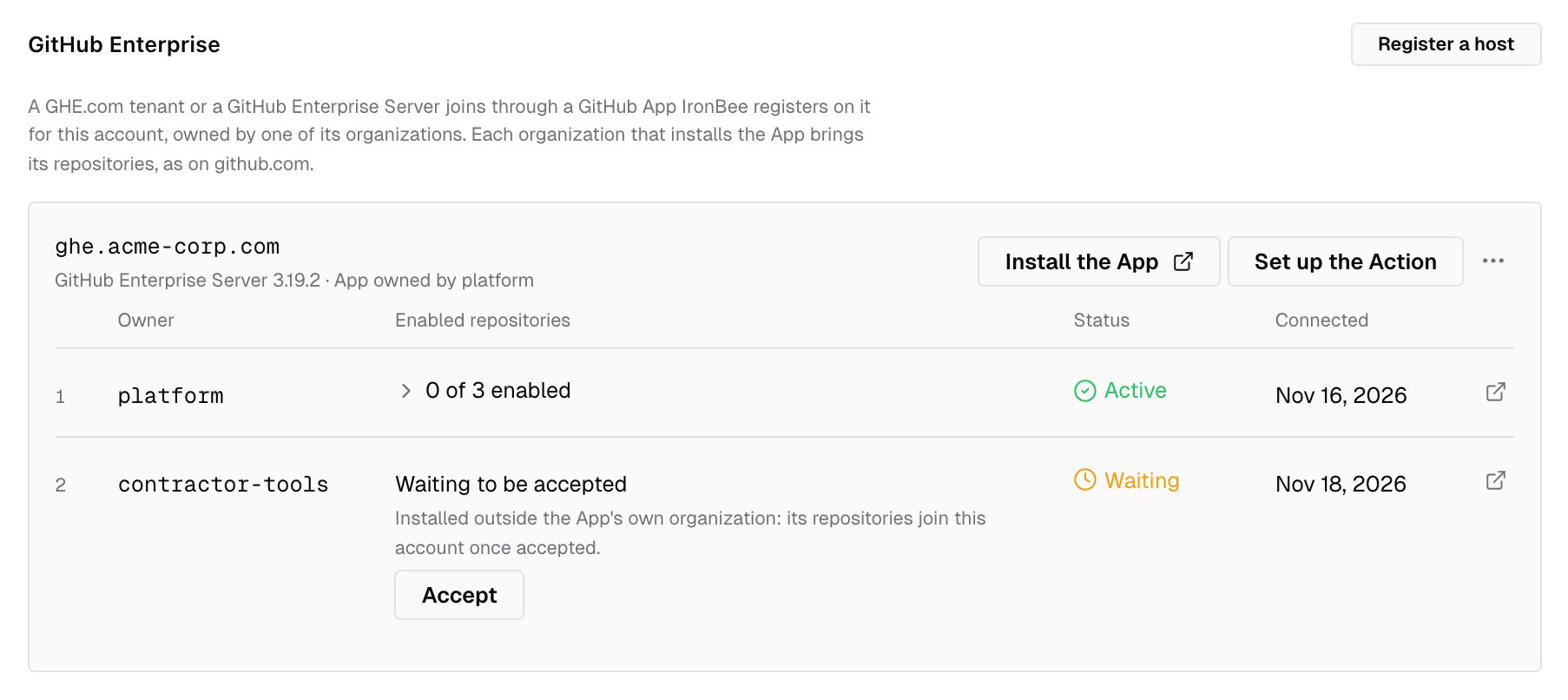
On the install page, choose the organization and its repositories: all of them, or the ones you select. The host’s Install the App in the GitHub Enterprise section opens the page again.- On the organization that owns the App, IronBee connects the installation when it arrives. Its repositories become IronBee projects, as on github.com, and the console confirms GitHub Enterprise connected to your account.
- On any other organization, or on a person’s account on a server, where anyone can install the App, the installation waits. The GitHub Enterprise section lists it under the host as Waiting to be accepted, with its owner and Accept. Nothing of it is reviewed or verified until an owner or admin accepts it. Its repositories then become projects, except one whose name another project of the account already has, and any past the account’s project limit. This keeps whoever installs the App from adding their repositories to your account and spending its credits.
- If the organization lets only its owners install Apps, a member’s install sends a request to its owners. The installation reaches IronBee when an owner approves it.
@ironbee-ai with the default name IronBee AI. IronBee’s comments and checks are signed <slug>[bot]. See Code review on GitHub Enterprise.
The host in the console
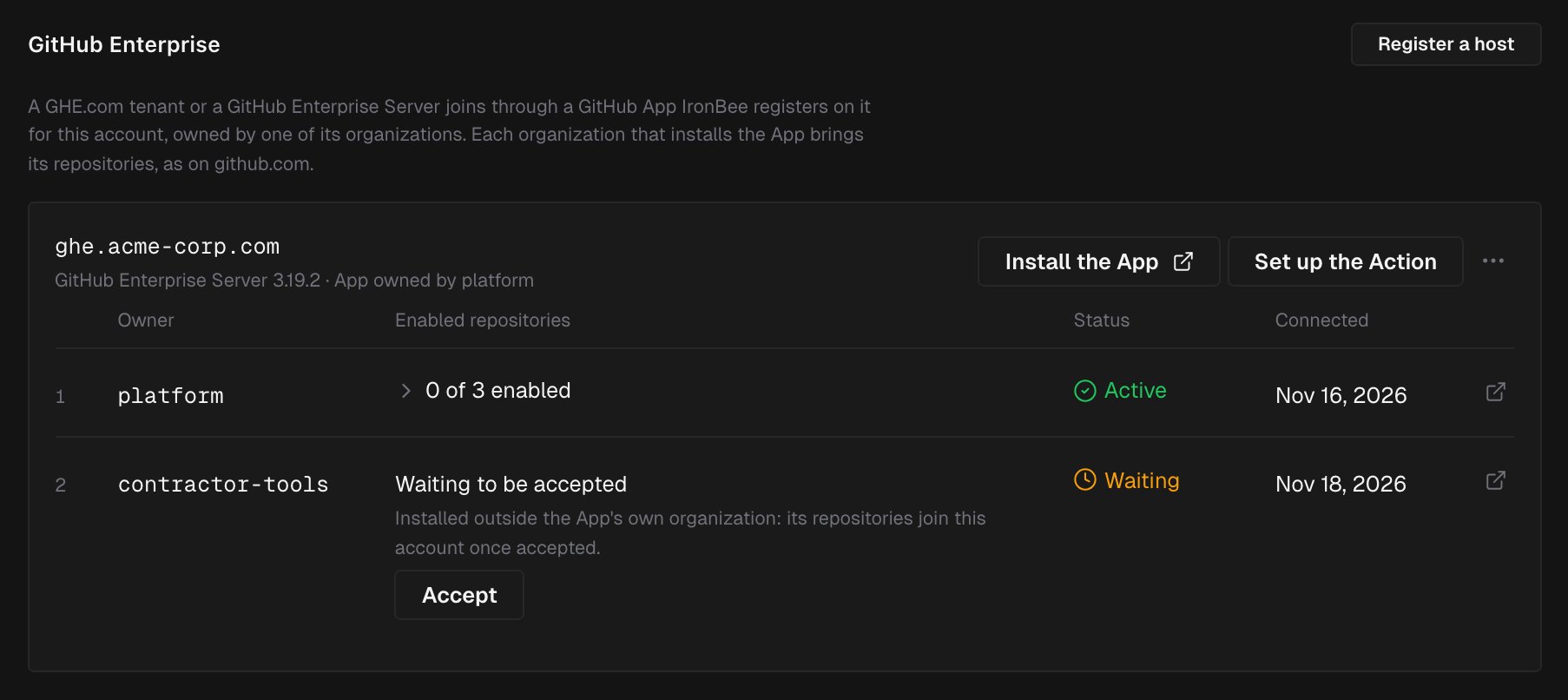
Integrations > GitHub lists each registered host in the GitHub Enterprise section, with its kind (GHE.com tenant, or GitHub Enterprise Server and its version) and App owned by its organization. Each host has:- Install the App, which opens the App’s install page on the host
- Set up the Action, once an installation is connected. See The GitHub Action
- an actions menu with Replace the CA bundle, on a server, and Delete
Replace the CA bundle
When a server’s certificate changes to one the stored CA bundle doesn’t verify, such as a renewed self-signed certificate or a move to another authority, every call IronBee makes to the server is refused until the bundle is replaced. Choose Replace the CA bundle in the host’s actions menu. No plan is asked. IronBee calls your server with the new bundle before it keeps it, so the server must already serve a certificate the new bundle verifies. To change with no gap, replace the bundle before the change with one that holds both the old and the new authority, then with the new one alone after it.The GitHub Action
The IronBee GitHub Action runs on a GHE.com tenant and on a GitHub Enterprise Server, and a server names its own entry point,ironbee-ai/ironbee-action/ghes@v1. See The GitHub Action on GitHub Enterprise.
The console’s setup steps open for your host’s repositories from the host’s Set up the Action, or from the prompt on a project’s card. They list the repositories of the host’s accepted installations, and link to the repository’s secrets page and to a new workflow file on your host, filled in. On a server they also ask for your Runner label, since a server has no hosted runners.
The IronBee CLI
Use CLI 0.54.0 or newer.- Your host is GitHub to the CLI once IronBee names it among your account’s hosts. See Your account’s GitHub and GitLab hosts.
ironbee review,ironbee verifyand the CLI’s hooks then name your repository with its host, so their work lands in that repository’s project. See Code review of your local checkout and Verification jobs.- The CLI’s own reads of your host, such as which pull request a commit belongs to, use the token
ghholds for it. Sign in withgh auth login --hostname github.acme.com. - A private certificate authority. The CLI is a Node program and doesn’t read your system’s trust store: set
NODE_EXTRA_CA_CERTSto the authority’s PEM file. - A server named by an IP address or by one label isn’t named as a host. A run there goes on without a repository, and one that asks for a pull request or a commit (
--pr,--commit) stops.
Delete a host
An owner or admin chooses Delete in the host’s actions menu. IronBee disables every repository enabled through the host’s installations, then removes the installations and the host. The projects stay in IronBee with their history, and are no longer reviewed. The App stays on your host. After the delete, the console links Open the App’s settings on your host: delete the App there. Until you do, the host keeps sending it events, which IronBee refuses. Registering the host again needs the Enterprise plan. On another plan, the dialog says so before the delete. Delete the host and register it again when:- you want to replace the App’s private key or webhook secret
- the App was deleted on your host, so every call IronBee makes fails while the host’s installations stay listed
Not available yet
- Signing in to IronBee with a GHE.com tenant or a server
- Verification started by a Vercel or Netlify deployment of a repository on a tenant or a server
- The repositories a managed user owns. On a GHE.com tenant, every user is a managed user
- An App owned by the enterprise instead of an organization, or an existing App’s credentials pasted in instead of the registration
- Declining a waiting installation: uninstall it on your host instead
- Replacing the App’s key or webhook secret from the console: delete the host and register it again
- In code security with execution, a dependency hosted on your tenant or server: dependencies come from the public registries only
- A server IronBee can’t reach from the internet. The self-hosted runner serves it
- A server named by an IP address, by one label or by an international name; a port other than 443; a server under a path; a server with no IPv4 address
- Fixed addresses for IronBee’s webhook endpoint, for a firewall that takes addresses only
What’s next?
Code review on GitHub
What IronBee posts on a pull request, the check and the commands.
The GitHub Action on GitHub Enterprise
The workflow on a tenant, and the
ghes entry point on a server.Self-hosted runner
Review pull requests in your own GitHub Actions, with your own model.

GitHub App
Install the App on github.com organizations.