

- On IronBee: IronBee verifies the change on its own infrastructure. Nothing is installed on your runner.
- On your GitHub runner: the verification runs inside your workflow with your own Anthropic access.
Prerequisites
- An IronBee account and your account API key. Owners and admins find it in the console under Settings > Account. Other members can ask an owner or admin for it.
- To verify on IronBee: the IronBee GitHub App installed on the repository. A public repository also works without it.
- To verify on your GitHub runner, or to have findings fixed: an Anthropic API key from console.anthropic.com, or a Claude Code OAuth token from
claude setup-token.
Set it up from the console
The fastest path is the console, which writes the workflow for you.1
Connect GitHub
During onboarding, or later from Setup in the top bar, choose Connect GitHub. Install the IronBee GitHub App on the organization you deploy from, and choose the repositories it can see.
2
Answer three questions
In the IronBee Action step: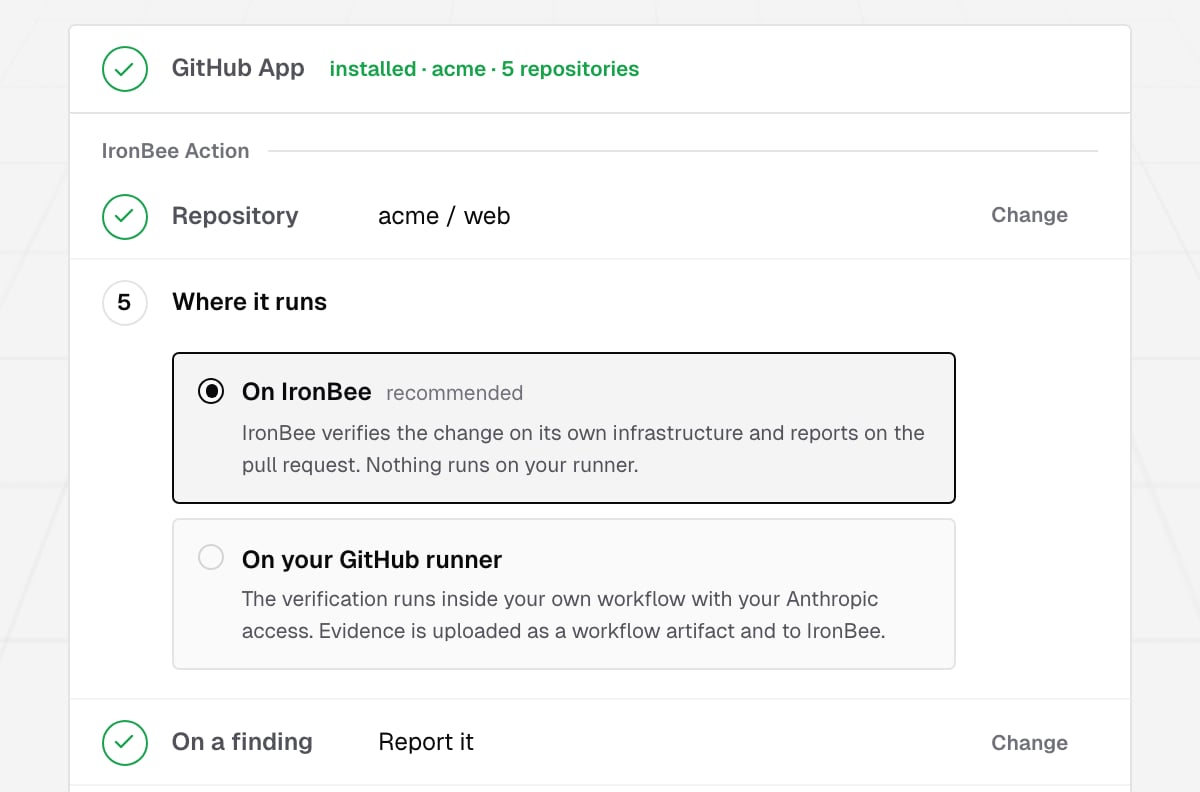
- Repository: the repository the workflow file and the secrets go into.
- Where it runs: On IronBee (recommended) or On your GitHub runner.
- On a finding: Report it, or Fix it too.
3
Set it up on GitHub
Fill in how your app starts, add the repository secrets the console lists, then click Create the file on GitHub. Committing the file is a push, and that push starts your first verification.
Add the workflow
Create.github/workflows/ironbee.yml with one of the two starter workflows below. The action is also listed on the GitHub Marketplace.
- On IronBee, report only
- On your runner, fixing too
app_* lines with your own install, build and start commands and the port your app listens on. If your app is already deployed at a public preview URL, delete the four lines and set app_url instead. The action needs one of the two: without a target the run stops before it verifies anything. See Verifying your application.
To have findings fixed while verifying on IronBee, add an Anthropic credential and set verification_apply_fix: true.
Add the secrets
In your repository, open Settings > Secrets and variables > Actions and click New repository secret for each one:
Pass the Claude Code token with
claude_code_oauth_token: ${{ secrets.CLAUDE_CODE_OAUTH_TOKEN }} instead of anthropic_api_key. Your Anthropic key or token stays in GitHub: the action uses it on your runner, and IronBee receives only the verification result.
The next push or pull request starts a verification run.
Required permissions
The action needs these GitHub token permissions:
A pull request from a fork receives no secrets, so no verification can run there. The action detects it and says so instead of failing on an empty key.
Next steps
Platform and local verification
How the action decides where the verification runs.
Running in CI
How the action behaves on each trigger and what it reports.
Verify from a comment
Start a verification with
/ironbee-verify on a pull request.Configuration
Every input and output, with defaults.