
- On IronBee: IronBee verifies the change on its own infrastructure. Nothing is installed in your pipeline.
- On your Bitbucket Pipelines runner: the verification runs inside the pipe, in your pipeline, with your own Anthropic access.
docker://ghcr.io/ironbee-ai/ironbee-bitbucket, that a step of your bitbucket-pipelines.yml runs. Its source is on GitHub. This guide gets it running in a few minutes. For the mechanics behind it, see How it works.
Prerequisites
- An IronBee account and your account API key. Owners and admins find it in the console under Settings > Account. Other members can ask an owner or admin for it.
- To verify on IronBee: the repository’s workspace connected to IronBee. A public repository also works without it.
- To verify on your Bitbucket Pipelines runner, or to have findings fixed: an Anthropic API key from console.anthropic.com, or a Claude Code OAuth token from
claude setup-token. - A repository on bitbucket.org with Pipelines turned on. Bitbucket Data Center isn’t supported.
Set it up from the console
The fastest path is the console, which writes the pipeline file for you.1
Connect Bitbucket
Open Settings > Getting started. On the Bitbucket card, click Add the Pipe, or Connect Bitbucket to connect your Bitbucket workspace first. See Bitbucket. On Projects, a Bitbucket project’s Install the IronBee Pipe opens the same steps for that repository.
2
Answer three questions
In the IronBee Pipe step: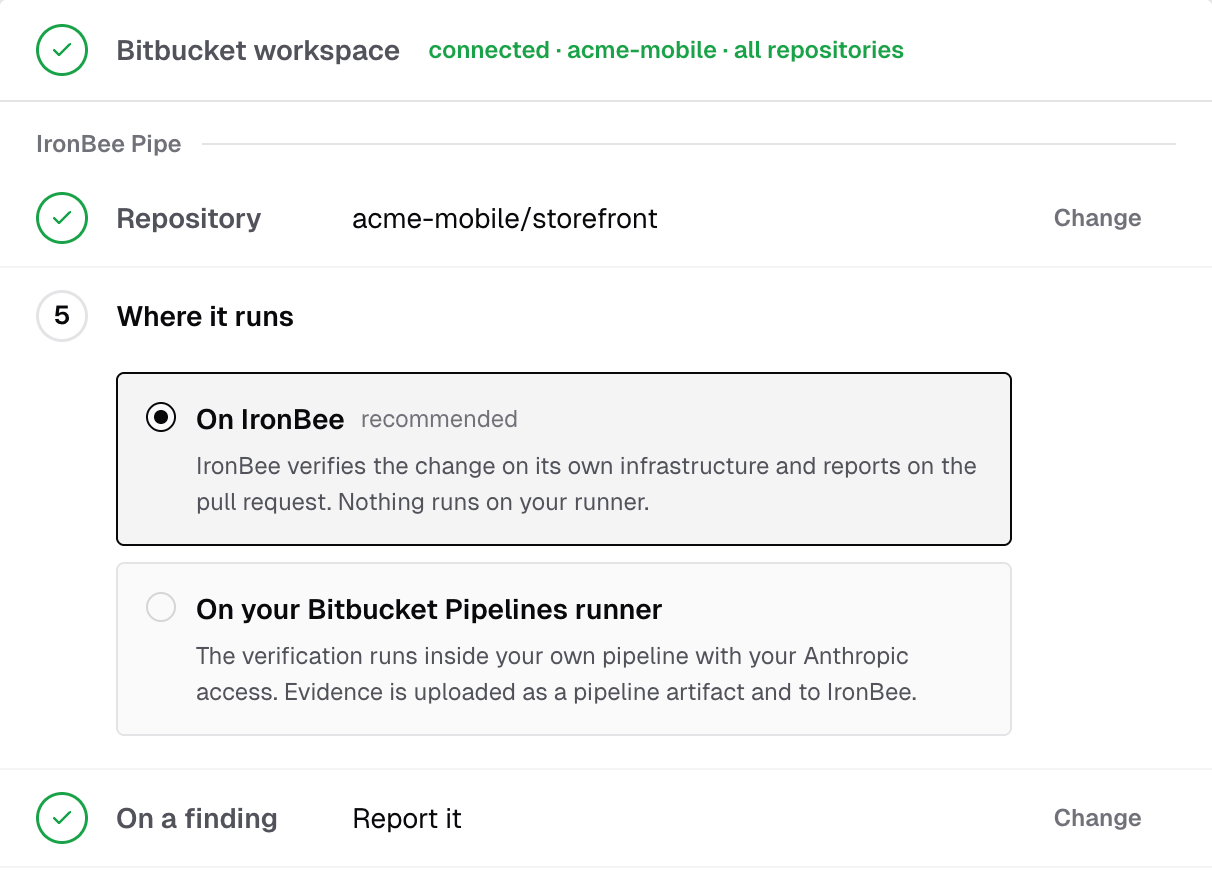
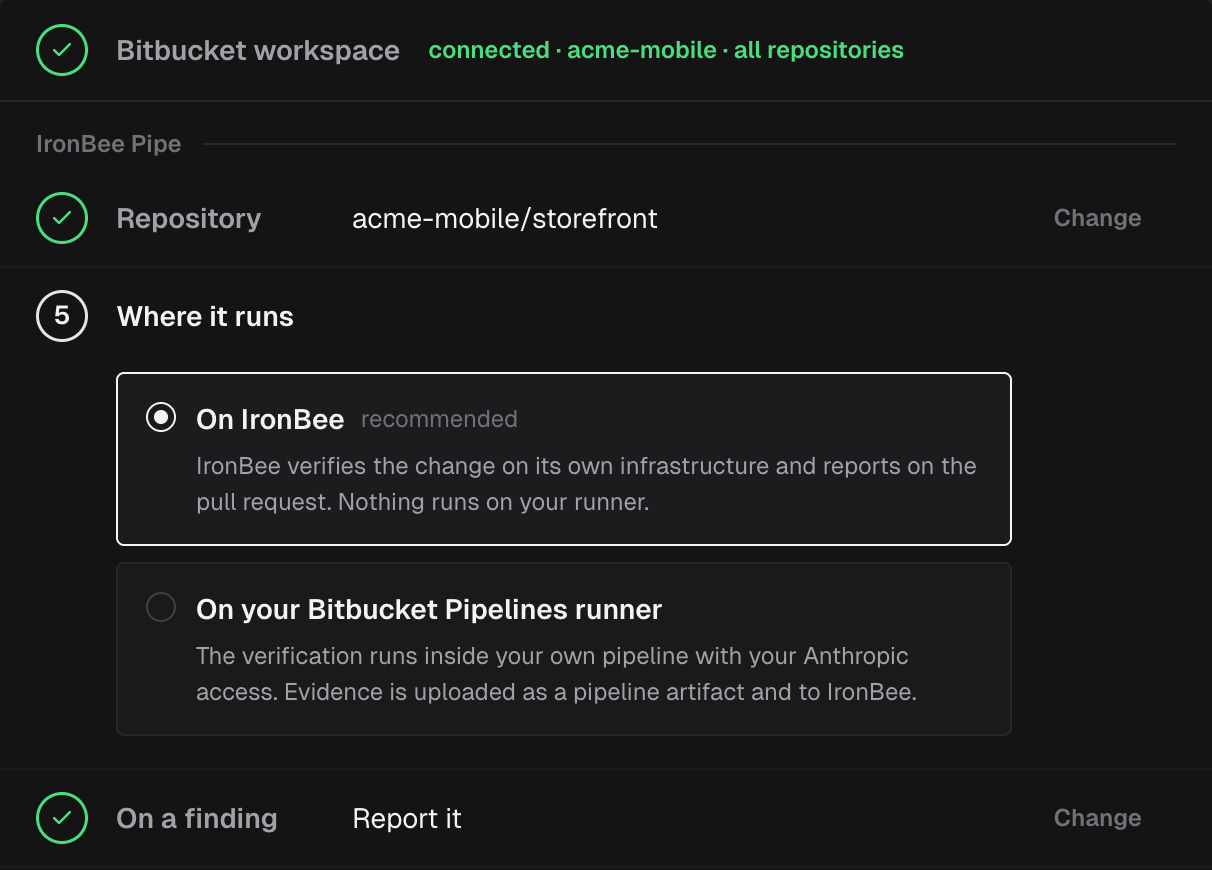
- Repository: the repository the pipeline file and the variables go into.
- Where it runs: On IronBee (recommended) or On your Bitbucket Pipelines runner.
- On a finding: Report it, or Fix it too.
3
Set it up on Bitbucket
Fill in how your app starts, then add the repository variables the console lists: Open repository variables opens the repository’s settings. Click Copy and open Pipelines: the console copies the file and opens the repository’s Pipelines page. Paste it into a new
bitbucket-pipelines.yml at the repository’s root and commit. If the repository already has one, add the step to it instead; Copy the pipeline file copies the file again. The commit is a push, and that push starts your first verification.Add the pipe
Add the pipe tobitbucket-pipelines.yml with one of the two starters below. Each defines the step once and runs it on every pull request and on pushes to main.
- On IronBee, report only
- On your runner, fixing too
APP_* lines with your own install, build and start commands and the port your app listens on. If your app is already deployed at a public preview URL, delete the four lines and set APP_URL instead. The pipe needs one of the two: without a target the run stops before it verifies anything. See Verifying your application.
What the step’s other lines are for:
authgives the step’s own token,BITBUCKET_OAUTH_TOKEN, the scopes the report comment and the fixes need. See The Bitbucket token.services: [docker],size: 2xand the Docker service’smemoryleave room for an app the pipe starts with Docker Compose.runtime: cloud: version: 3andatlassian/default-image:5are what such a build needs. A run on IronBee that verifies a deployed URL needs none of the four. See Docker Compose.artifactskeeps the files the pipe leaves in.ironbee/upload/on the step’s Artifacts tab. See Evidence.
2x step spends two build minutes for every minute it runs.
Bitbucket doesn’t type-check a pipe’s variables, so quote every value, as in APP_PORT: "3000". The pipe sees a repository variable only when the step passes it, so every credential is named under variables:, as in IRONBEE_API_KEY: $IRONBEE_API_KEY.
To have findings fixed while verifying on IronBee, pass an Anthropic credential, set VERIFICATION_APPLY_FIX: "true" and raise max-time to 150, as the console does for Fix it too: a fixed app on the runner is verified a second time. Before that re-verification, the pipe runs APP_BUILD_COMMAND and APP_START_COMMAND again. When the start command hands off to Docker Compose or a service, set APP_RESTART_COMMAND; see Apps started through Docker Compose or a service. On your runner, VERIFICATION_APPLY_FIX: "false" has the agent report what it finds and change no file.
:v1 follows the latest release, so your pipeline gets fixes without editing the file.
Add the repository variables
In your repository, open Repository settings > Pipelines > Repository variables and add each variable. Mark each one Secured.
Pass the Claude Code token with
CLAUDE_CODE_OAUTH_TOKEN: $CLAUDE_CODE_OAUTH_TOKEN instead of ANTHROPIC_API_KEY. Your Anthropic key or token stays in Bitbucket: the pipe uses it only in your pipeline, and IronBee never receives it.
The next pull request or push to main starts a verification run.
The Bitbucket token
The pipe posts the report comment, pushes the fix commit and opens the fix pull request withBITBUCKET_OAUTH_TOKEN, the short-lived token Bitbucket gives every step. No variable needs to be created for it. The step’s auth decides what it can do:
Pass it to the pipe as
BITBUCKET_OAUTH_TOKEN: $BITBUCKET_OAUTH_TOKEN. The token ends with the step, and the pipe never prints it.
Without the token, the pipe still verifies:
- The report stays in the step log, with a warning.
- A run that produced fixes fails, because it has nothing to push them with. The fixes exist only in the pipe.
Forks
Bitbucket runs no pipeline for a pull request from a fork, so the pipe never verifies one.Next steps
Platform and local verification
How the pipe decides where the verification runs.
Running in Bitbucket Pipelines
How the pipe behaves on each pipeline and what it reports.
Verifying your application
An app in the pipe, Docker Compose, or a deployed URL.
Configuration
Every variable and output, with defaults.