Header
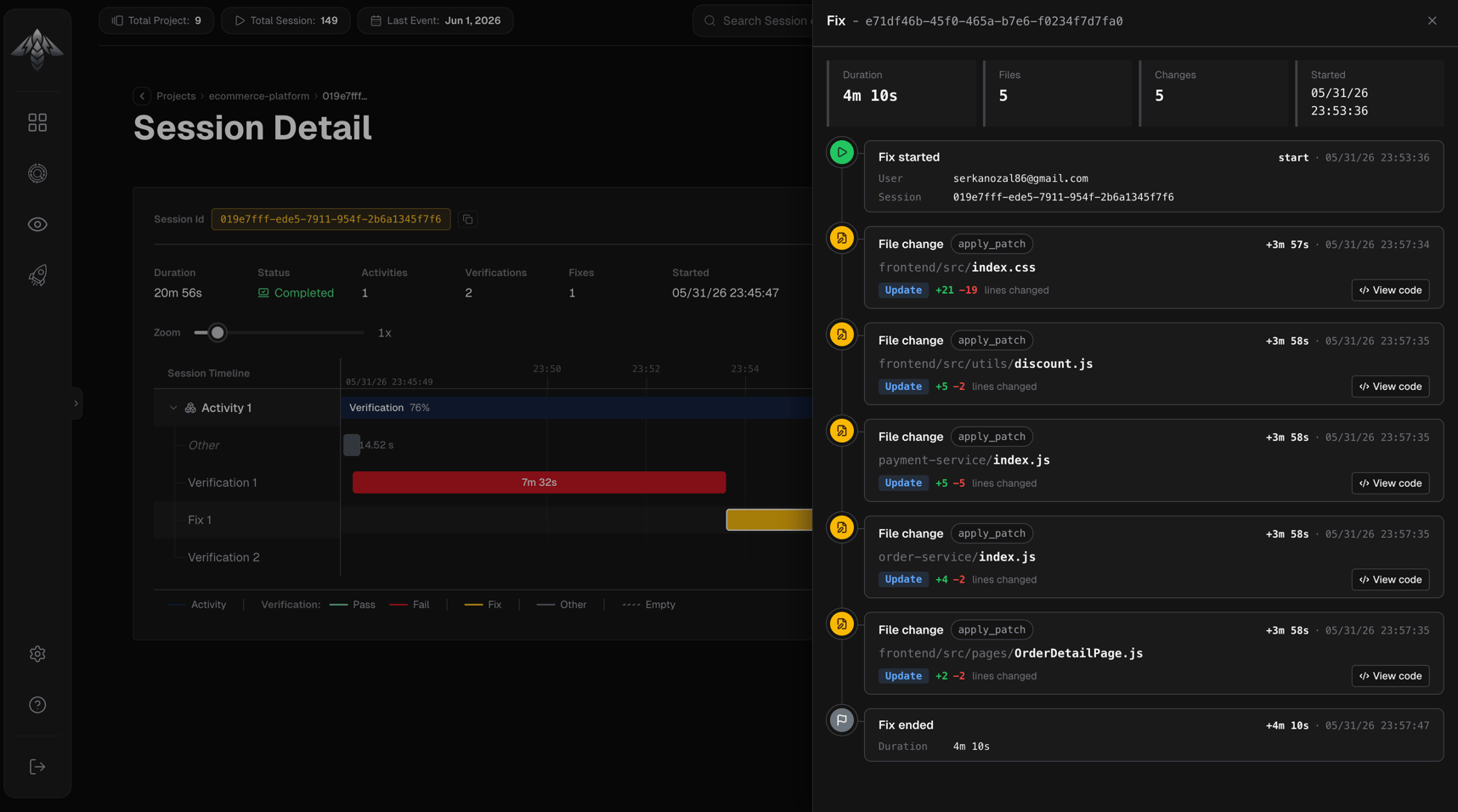
The panel header shows the fix ID. If the fix is still running, an In progress badge appears alongside it.Stats
Four metrics shown as chips below the header:Event timeline
A vertical chronological list of every event recorded during the fix:Fix started
- User email that initiated the fix
- Session ID
File change
Each file edit appears as its own event:- File path: directory (muted) and filename (bold), full path on hover
- Operation chip:
create,update, ordelete - Diff stats: lines added (green) and lines removed (red)
- View code: button opens the Diff Dialog (only shown when changeset data is available)
- Tool chip: the tool that made the change
Fix ended
- Total fix duration
- Reason the fix concluded (if provided)
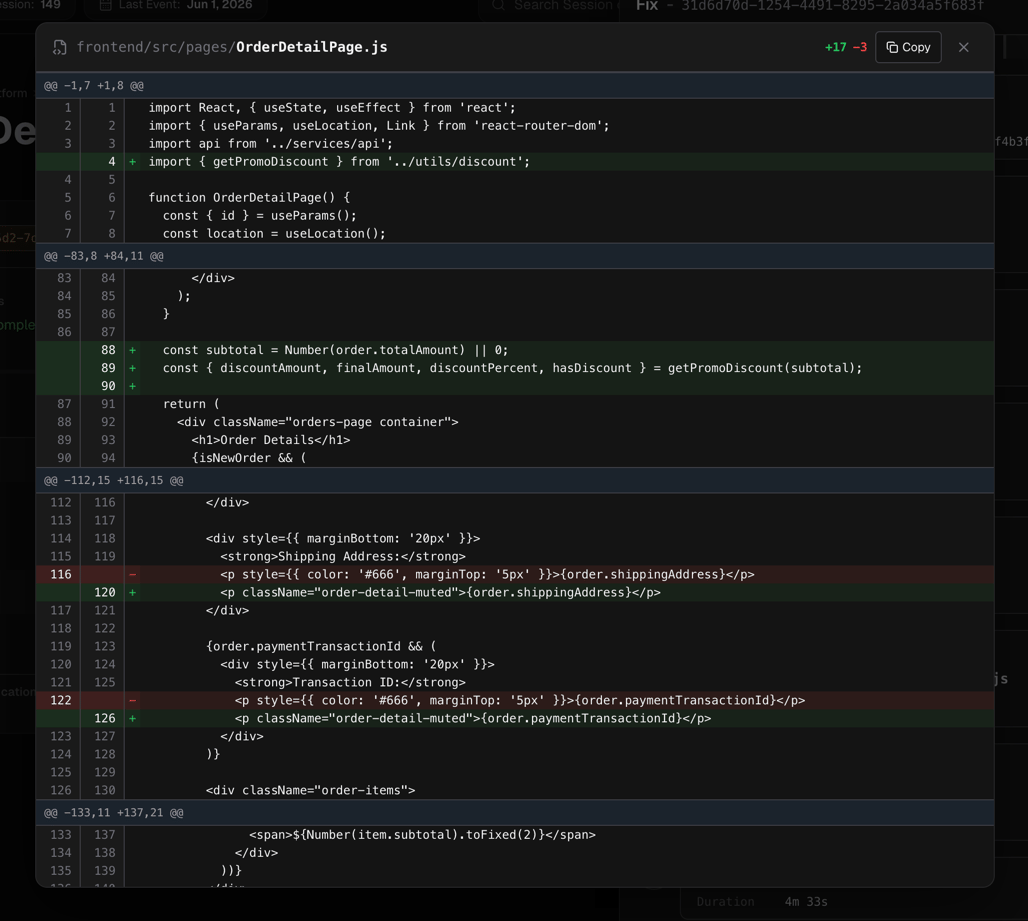
Diff Dialog
Clicking View code on a file change event opens a modal showing the full unified diff for that file:- File path and diff stats (lines added / removed) in the header
- Copy button copies the entire changeset to the clipboard
- Diff table has columns: old line number, new line number, sign (
+/−), content- Added lines: green background
- Removed lines: red background
- Hunk headers (
@@ -start,count +start,count @@): blue background - Meta lines (e.g.,
\ No newline at end of file): italic, muted