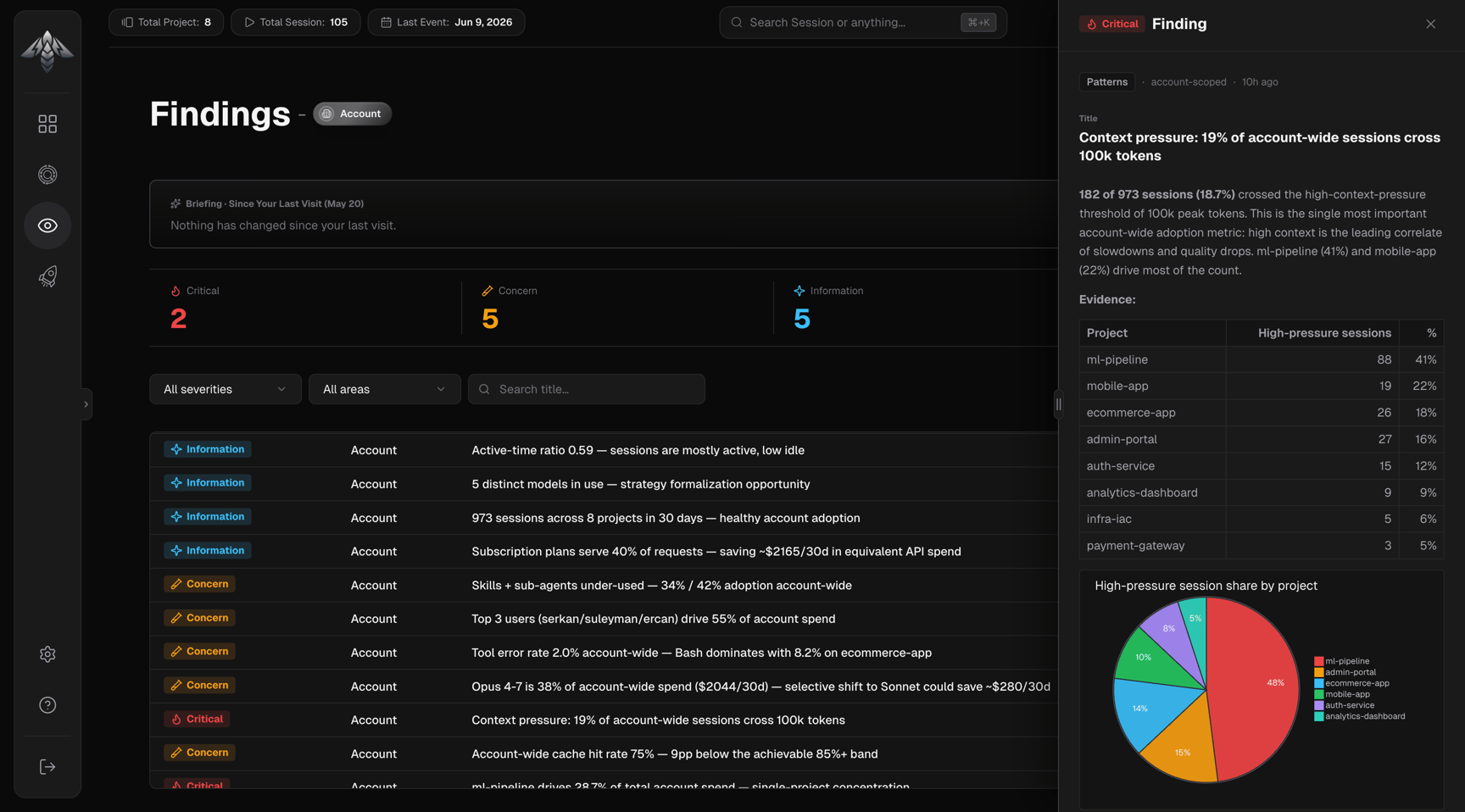
Findings are observations that IronBee’s analysis identified patterns and problems grounded in actual session data. Account-level findings span the entire account and are produced by the Account Cost and Account Session Insights analysis runs. IronBee Console — Account Findings

Finding areas

AreaWhat it covers
QualityVerification thoroughness, fix effectiveness, recurring failures
EfficiencyTime and compute waste, rework rate, slow sessions
PatternsFiles and issues that recur across sessions
BehaviorAgent working habits and interaction style
CostToken spend, cache efficiency, expensive sessions

Severity levels

SeverityMeaning
notice (Information)Descriptive observation, informational, no action required
concernWorth watching, may have a linked recommendation
criticalSerious degradation, should have a linked recommendation
Only concern and critical findings can have recommendations attached.

KPI strip

Four tiles at the top of the page show the current finding counts:
TileDescription
CriticalCount of critical findings
ConcernCount of concern findings
InformationCount of notice findings
Total findingsSum of all active findings

Briefing panel

Shown above the KPI strip on each visit. Reports what changed since your last visit:
  • First visit: starts tracking from this point; come back to see deltas
  • No changes: nothing new since your last visit (shows timestamp)
  • Changes detected: “New X critical findings. Resolved Y concerns.” in severity-colored text
Dismiss with the × button. Can be toggled in Settings.

Filters

FilterOptions
SeverityAll severities · Critical · Concern · Information
AreaAll areas · Quality · Efficiency · Patterns · Behavior · Cost
Title searchFree text (min 3 characters)
Active filters appear as chips. Clear filters removes severity, area, and title pinned filters (Finding ID, Analysis ID) are cleared individually.

Findings table

Five columns, all sortable:
ColumnDescription
SeverityBadge with icon, Critical (flame), Concern (test tube), Information (sparkle)
ProjectProject the finding belongs to, or “Account” for account-scoped findings
TitleBrief description of the observation
AreaQuality · Efficiency · Patterns · Behavior · Cost
CreatedHow long ago the finding was generated
Default sort: Created, newest first. Page sizes: 20, 50, or 100 rows.

Finding detail drawer

Click any row to open the detail drawer:
  • Severity badge: and area, project, and created date in the header
  • Title: the finding headline
  • Body: full markdown description with supporting evidence, metrics, and inline visualizations where applicable
  • View linked recommendation button shown for critical and concern findings; navigates to the Recommendations page filtered to this finding