> ## Documentation Index
> Fetch the complete documentation index at: https://docs.ironbee.ai/llms.txt
> Use this file to discover all available pages before exploring further.
> ## Agent Instructions
> IronBee (ironbee.ai) is an AI QA engineer: it verifies code changes against the running app and keeps the evidence. It is not related to the IronBee open-source web application firewall.
> The console is at https://console.ironbee.ai.
> Install the CLI with `npm install -g @ironbee-ai/cli`, sign in with `ironbee login`, and set up a project with `ironbee install`.
> In GitHub workflows, pin the action to `ironbee-ai/ironbee-action@v1.1.0` and pass the `IRONBEE_API_KEY` secret as the `ironbee_api_key` input.
> Console scenarios (https://docs.ironbee.ai/console/scenarios) and CLI saved scenarios (https://docs.ironbee.ai/cli/guides/scenarios) are separate features.
> For plans and prices, link to https://ironbee.ai/pricing; the website is the source of truth for them.
# Scenarios
> Flows written in plain words that IronBee runs against an environment, one action at a time.
A scenario is a flow written in plain words, such as "sign in, add two products to the cart and check that the cart badge counts both". IronBee runs it against one of your project's [environments](/console/environments), one action at a time, and shows what happened at each action.
A scenario is saved, unlike an [instant verification](/console/verifications#run-instant-verification): you write the flow once and run it again whenever you need. Every run is kept with its result and its evidence.
Scenarios belong to a project. Each one is **Web** or **API**, like the project's [verification type](/console/project-settings#verification-type).
These are the scenarios you write and run in the console. The CLI has its own [saved scenarios](/cli/guides/scenarios), which your AI coding agent writes into your repository. The two are separate.
***
## How a scenario is built
A scenario has three sections:
| Section | What it does |
| - | - |
| **Setup** | Runs first; if it fails, nothing is verified. Use it to sign in or prepare data |
| **Main** | Decides the verdict. It needs at least one action |
| **Teardown** | Always runs, even after a failure. Use it to clean up what the run created |
Each section holds rows:
* actions: **Act**, **Assert**, **Extract** and **Wait**
* **Step**, which groups rows under a name
* **Import**, which runs another scenario's **Main** in this one
A scenario can take inputs, read the project's variables, secrets and environment properties, and give outputs back to the scenarios that import it. See [Write a scenario](/console/scenario-editor) and [Inputs, references and imports](/console/scenario-references).
***
## The Scenarios page
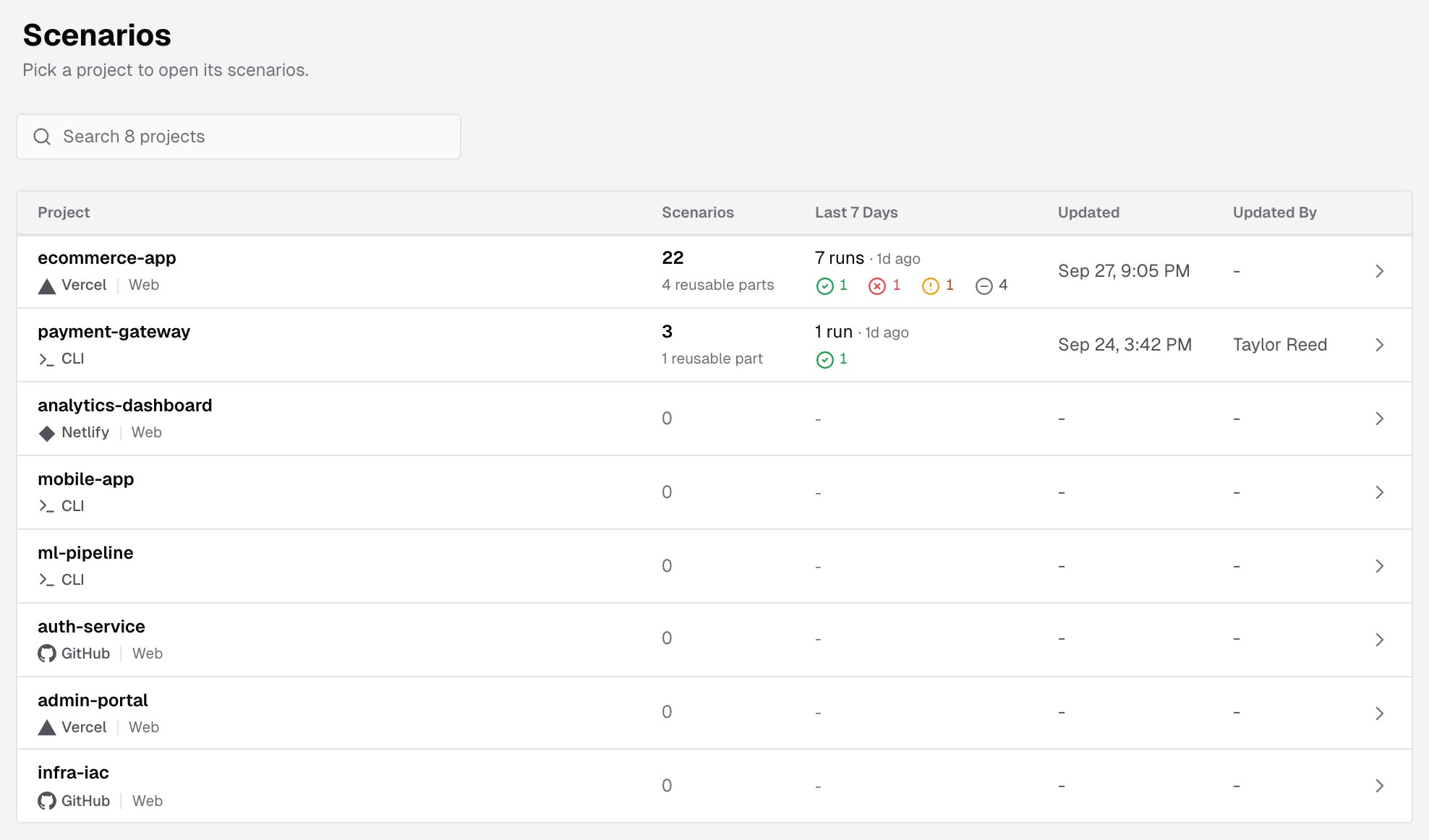
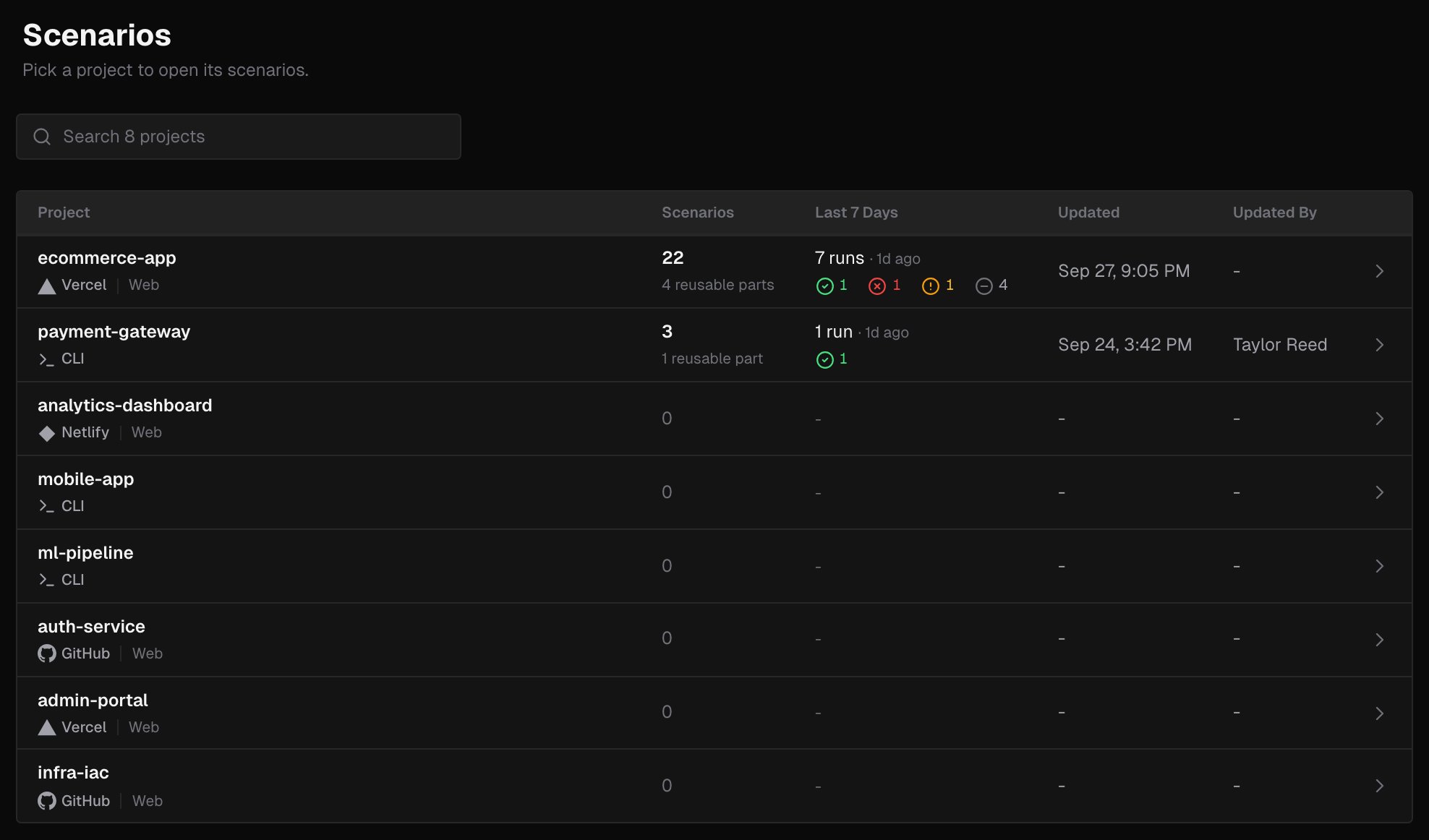
Click **Scenarios** in the sidebar. The page lists every project in your account:
 | Column | What it shows |
| - | - |
| **Project** | The project, its provider and its verification types. Click a row to open the project's scenarios |
| **Scenarios** | How many scenarios the project has, and how many of them are reusable parts: scenarios that another scenario in the project imports |
| **Last 7 Days** | How many scenario runs the project had in the last 7 days and when the latest one ran, then how many passed, failed, soft failed or ended with no verdict. Hover the icons to see which count is which |
| **Updated**, **Updated By** | When a scenario in the project was last saved, and by whom |
The projects with the most recent scenario changes come first. Search to filter the list by project name or provider.
***
## A project's scenarios
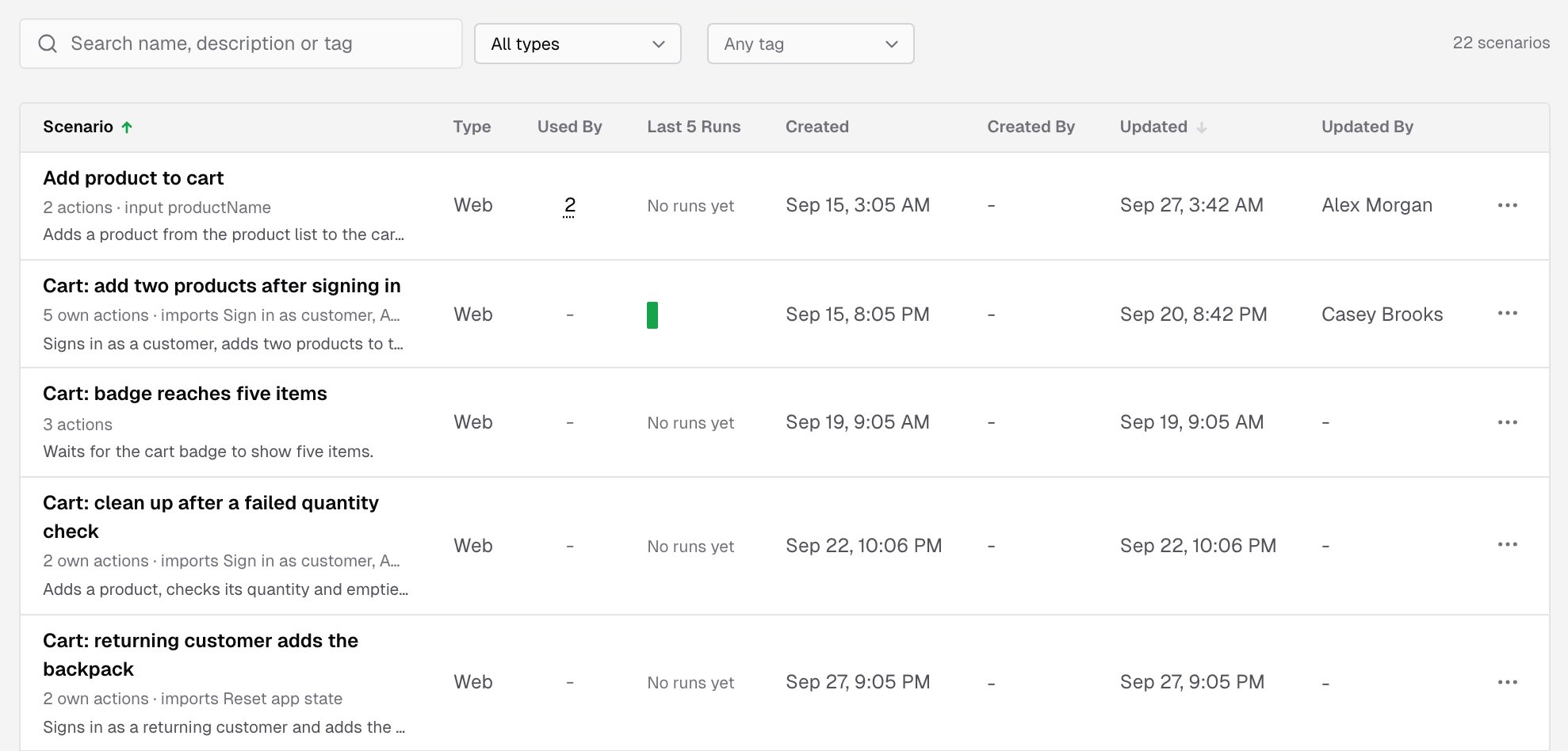
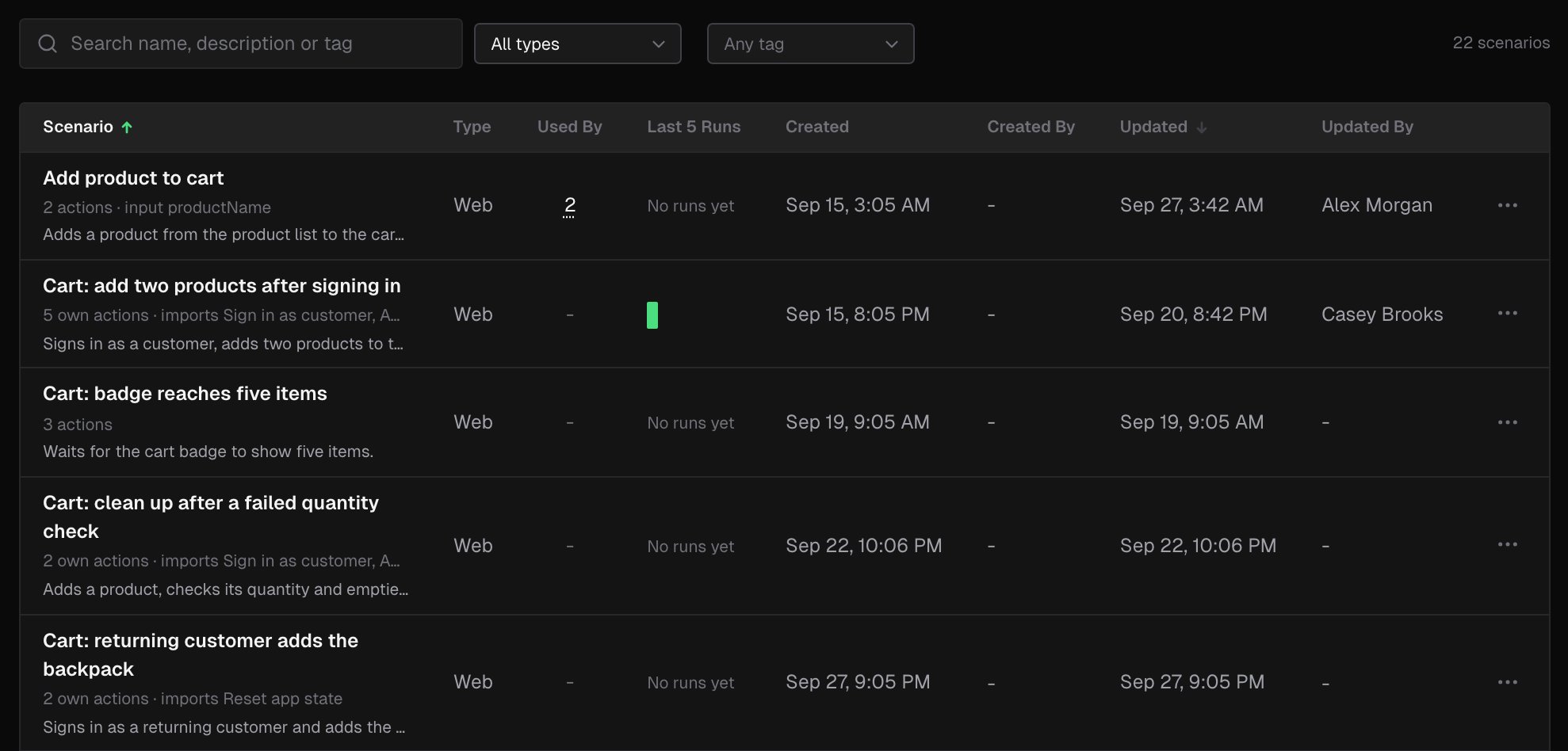
Open a project and click its **Scenarios** tab.
| Column | What it shows |
| - | - |
| **Project** | The project, its provider and its verification types. Click a row to open the project's scenarios |
| **Scenarios** | How many scenarios the project has, and how many of them are reusable parts: scenarios that another scenario in the project imports |
| **Last 7 Days** | How many scenario runs the project had in the last 7 days and when the latest one ran, then how many passed, failed, soft failed or ended with no verdict. Hover the icons to see which count is which |
| **Updated**, **Updated By** | When a scenario in the project was last saved, and by whom |
The projects with the most recent scenario changes come first. Search to filter the list by project name or provider.
***
## A project's scenarios
Open a project and click its **Scenarios** tab.
 | Column | What it shows |
| - | - |
| **Scenario** | The name, a summary line and the description. The summary counts the actions, Steps and soft asserts, and names the inputs and the scenarios it imports |
| **Type** | **Web** or **API** |
| **Used By** | How many scenarios in the project import this one. Hover the count to see them |
| **Last 5 Runs** | One bar per run, oldest first, colored by result. Hover a bar for its result and time |
| **Created**, **Created By**, **Updated**, **Updated By** | When the scenario was created and last saved, and by whom |
To narrow the list:
* Search by name, description or tag.
* Pick a type: **All types**, **Web** or **API**.
* Pick tags from **Any tag**. The list shows the scenarios with any of the selected tags.
* Click **Clear filters** to start over.
Sort by **Scenario** or **Updated**. The **...** menu on a row offers **Run scenario**, **Edit**, **Duplicate** and **Delete**.
***
## The scenario page
Click a scenario to open it. The header shows its type, how many actions it runs (including the ones its imports bring) and how many scenarios it imports. Use **Edit** to open the [editor](/console/scenario-editor), **Run scenario** to [run it](/console/scenario-runs), and the **...** menu to **Duplicate** or **Delete** it.
### Definition
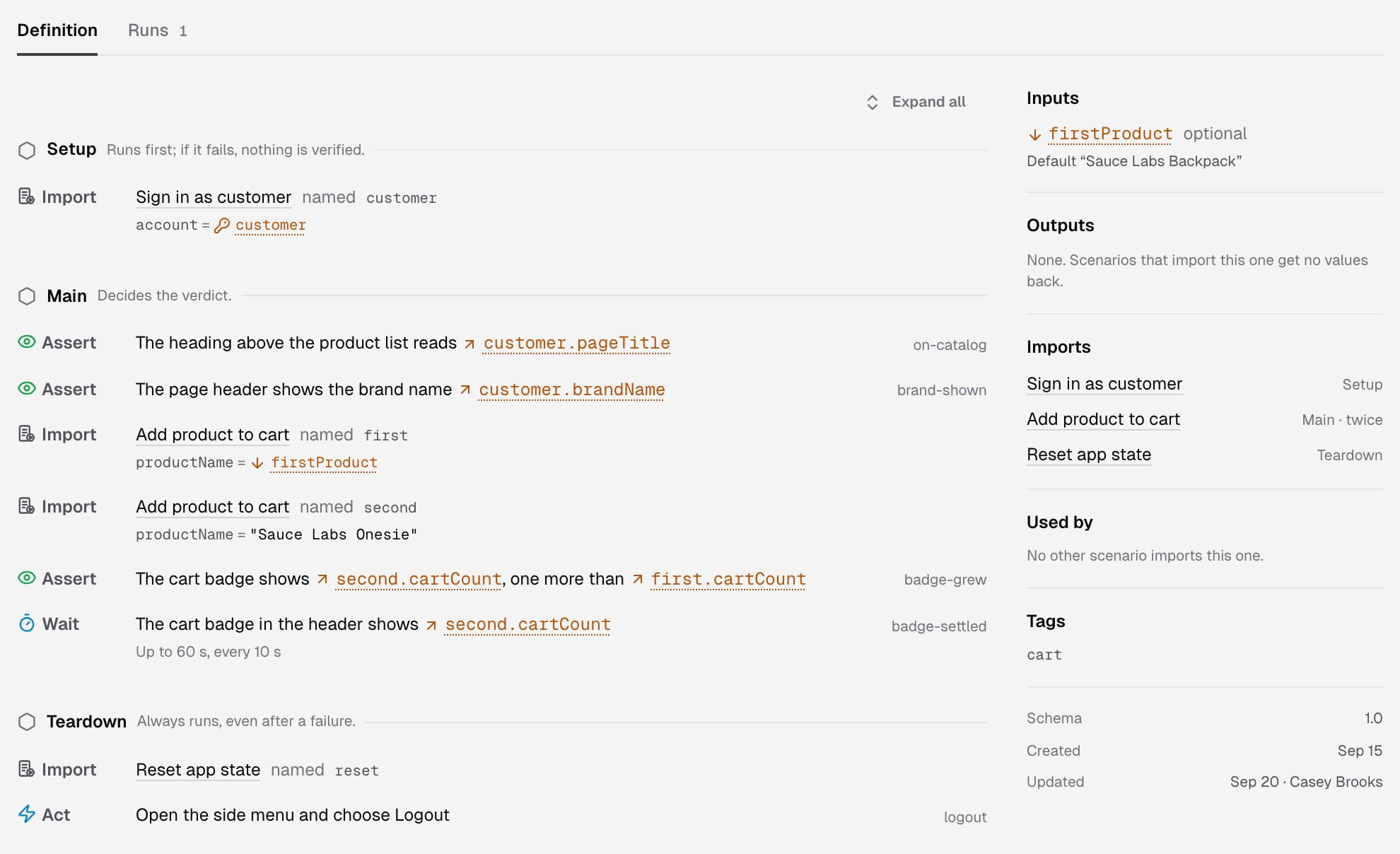
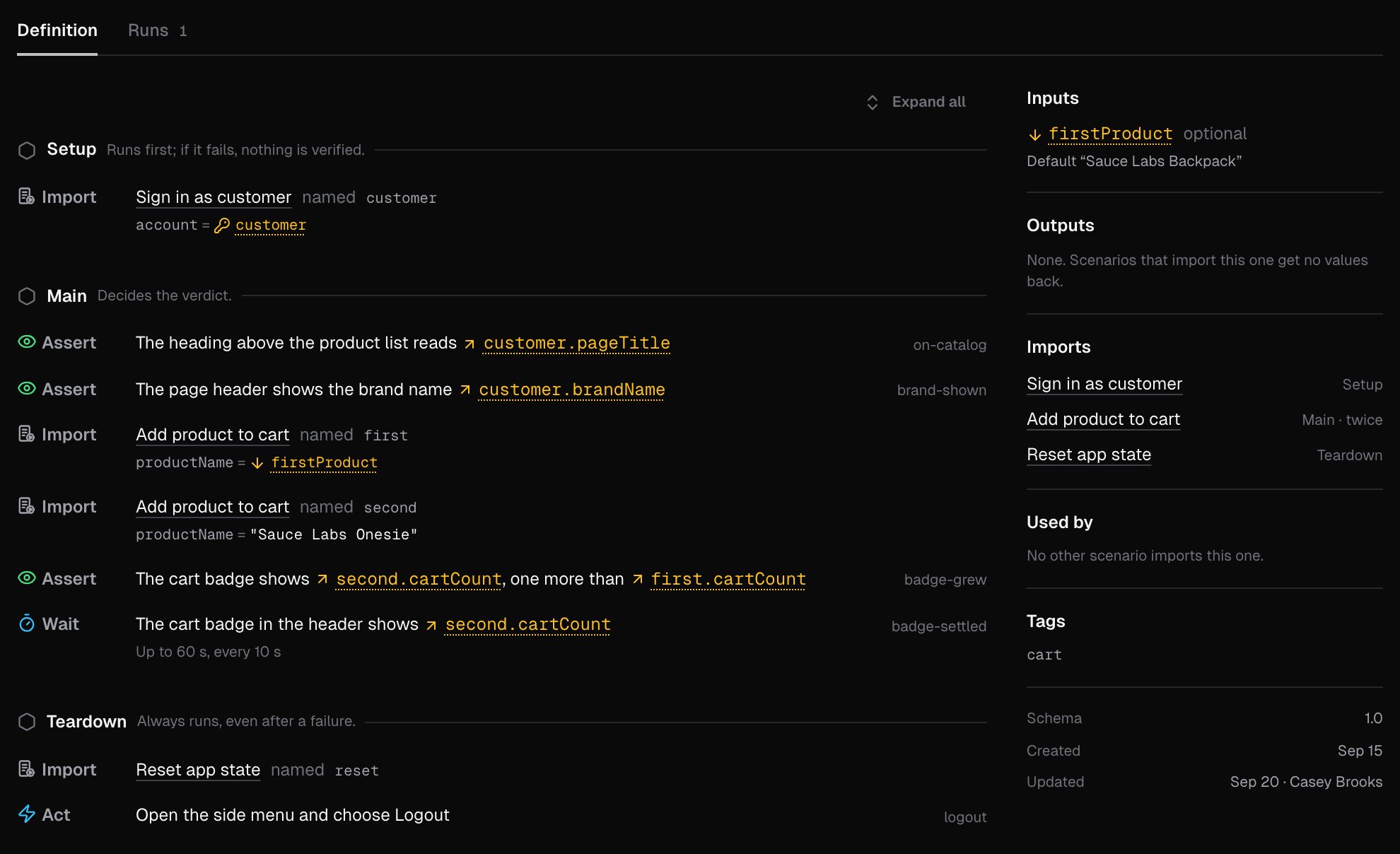
The **Definition** tab shows the scenario section by section. Each row shows its kind, its instruction and its name. Some rows show their settings on a second line:
* **Soft, does not block the verdict** on a soft assert
* the number of retries on an Act
* **Up to 60 s, every 10 s** on a Wait
An Import row names the scenario it runs, the name it has in this scenario, the values it passes to the imported scenario's inputs, and what it gives back. Click **Expand all** to see what each import runs.
The panel on the right sums the scenario up: its **Inputs**, **Outputs**, **Imports** (with the section each one runs in), **Used by** and **Tags**, then when it was **Created** and **Updated**.
| Column | What it shows |
| - | - |
| **Scenario** | The name, a summary line and the description. The summary counts the actions, Steps and soft asserts, and names the inputs and the scenarios it imports |
| **Type** | **Web** or **API** |
| **Used By** | How many scenarios in the project import this one. Hover the count to see them |
| **Last 5 Runs** | One bar per run, oldest first, colored by result. Hover a bar for its result and time |
| **Created**, **Created By**, **Updated**, **Updated By** | When the scenario was created and last saved, and by whom |
To narrow the list:
* Search by name, description or tag.
* Pick a type: **All types**, **Web** or **API**.
* Pick tags from **Any tag**. The list shows the scenarios with any of the selected tags.
* Click **Clear filters** to start over.
Sort by **Scenario** or **Updated**. The **...** menu on a row offers **Run scenario**, **Edit**, **Duplicate** and **Delete**.
***
## The scenario page
Click a scenario to open it. The header shows its type, how many actions it runs (including the ones its imports bring) and how many scenarios it imports. Use **Edit** to open the [editor](/console/scenario-editor), **Run scenario** to [run it](/console/scenario-runs), and the **...** menu to **Duplicate** or **Delete** it.
### Definition
The **Definition** tab shows the scenario section by section. Each row shows its kind, its instruction and its name. Some rows show their settings on a second line:
* **Soft, does not block the verdict** on a soft assert
* the number of retries on an Act
* **Up to 60 s, every 10 s** on a Wait
An Import row names the scenario it runs, the name it has in this scenario, the values it passes to the imported scenario's inputs, and what it gives back. Click **Expand all** to see what each import runs.
The panel on the right sums the scenario up: its **Inputs**, **Outputs**, **Imports** (with the section each one runs in), **Used by** and **Tags**, then when it was **Created** and **Updated**.
 ### Runs
The **Runs** tab lists every run of the scenario with its result, with the same columns as the [Verifications](/console/verifications#columns) list and one more, **Version**:
* **Current**: the run used the scenario as it is now.
* **Older**, with a count of changes: the scenario changed after the run.
Click a run to open it. See [Run a scenario](/console/scenario-runs).
***
## Create a scenario
1. On the project's **Scenarios** tab, click **New scenario**.
2. Type a **Name**. Names are unique in a project.
3. Pick the **Type**, **Web** or **API**. Only the types the project runs are offered, and you can't change the type later. A web scenario can also call the app's API.
4. Under **Start from**, pick **Blank**, which starts with one empty Act in **Main**, or **From a template**:
* **Sign in, add to cart and check the total** signs in during Setup, adds a product and checks the cart total in Main, and empties the cart in Teardown.
* **A page that loads** opens the home page, waits for its main content and checks that no error is shown.
Templates are for web scenarios only.
5. Click **Continue**. The editor opens on the new scenario. Nothing is saved until you click **Save changes**.
### Runs
The **Runs** tab lists every run of the scenario with its result, with the same columns as the [Verifications](/console/verifications#columns) list and one more, **Version**:
* **Current**: the run used the scenario as it is now.
* **Older**, with a count of changes: the scenario changed after the run.
Click a run to open it. See [Run a scenario](/console/scenario-runs).
***
## Create a scenario
1. On the project's **Scenarios** tab, click **New scenario**.
2. Type a **Name**. Names are unique in a project.
3. Pick the **Type**, **Web** or **API**. Only the types the project runs are offered, and you can't change the type later. A web scenario can also call the app's API.
4. Under **Start from**, pick **Blank**, which starts with one empty Act in **Main**, or **From a template**:
* **Sign in, add to cart and check the total** signs in during Setup, adds a product and checks the cart total in Main, and empties the cart in Teardown.
* **A page that loads** opens the home page, waits for its main content and checks that no error is shown.
Templates are for web scenarios only.
5. Click **Continue**. The editor opens on the new scenario. Nothing is saved until you click **Save changes**.
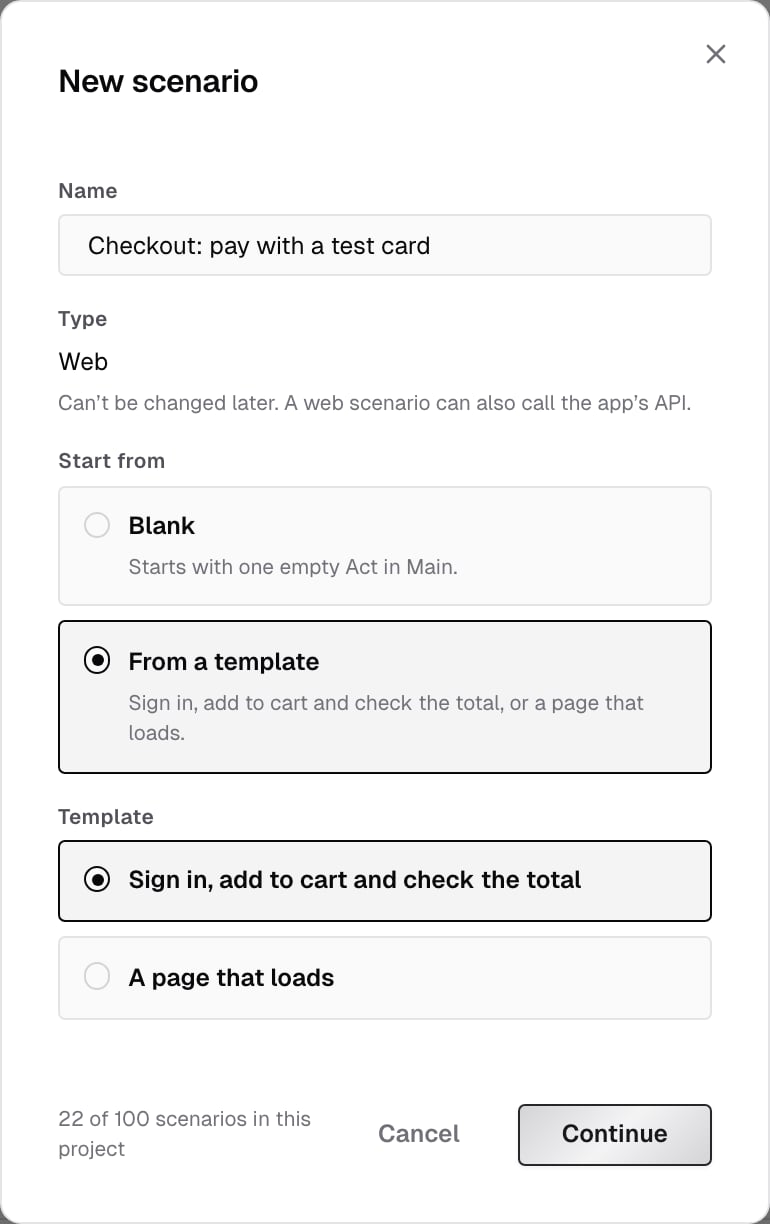
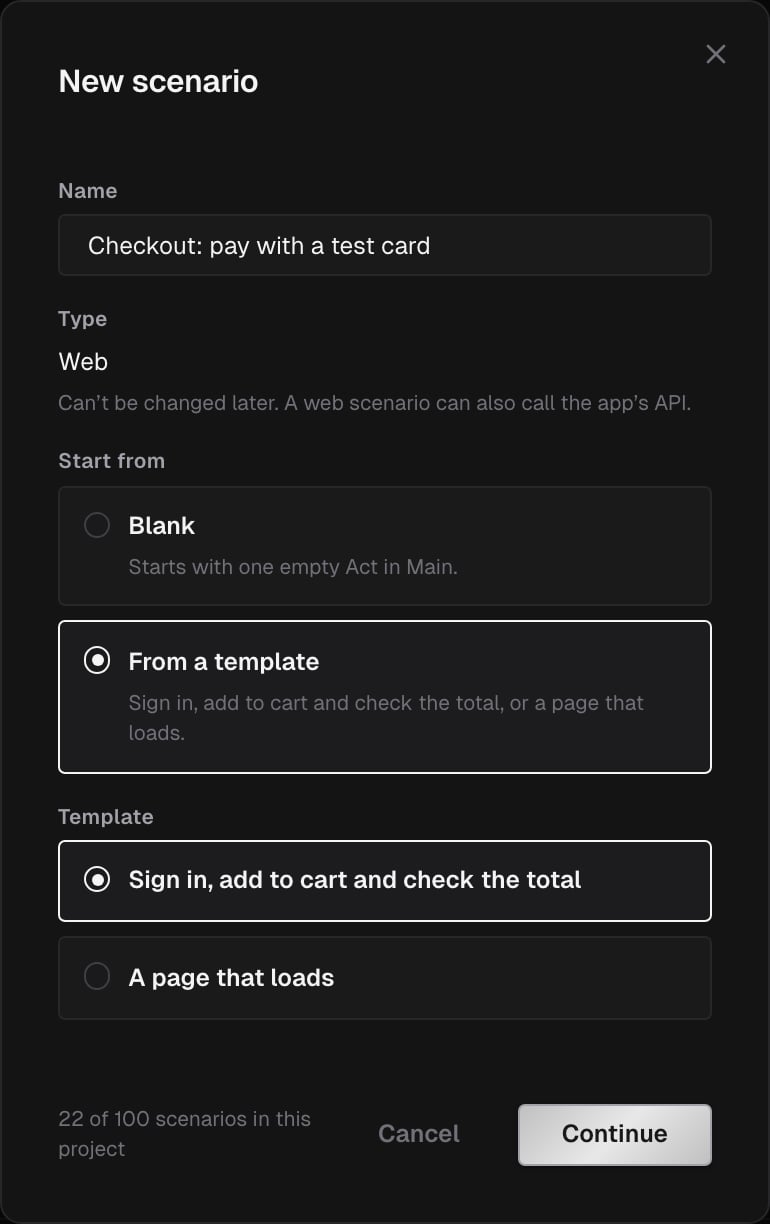 A project can have up to 100 scenarios. The dialog shows how many the project has.
***
## Duplicate or delete a scenario
**Duplicate** opens the editor on a copy, named after the original with **(copy)** at the end. The copy is saved when you click **Save changes**.
**Delete** asks you to confirm with **Delete scenario**. Deleting can't be undone:
* The scenario's past runs keep their copy of it and stay in **Verifications**.
* If another scenario imports it, the dialog lists them and you can't delete it. Remove the import from those scenarios first.
***
## Who can change scenarios
| Role | What they can do |
| - | - |
| Owner, Admin, Member | Create, edit, duplicate, delete and run scenarios |
| Billing Admin | See scenarios, their definitions and their runs, and open the editor read-only |
On an archived project, scenarios are read-only and can't be run. See [Roles](/console/roles).
***
## What's next?
Sections, actions, settings and saving in the editor.
Pick an environment, pass inputs and read the run.
This documentation is built and hosted on [Mintlify](https://mintlify.com), a developer documentation platform.
A project can have up to 100 scenarios. The dialog shows how many the project has.
***
## Duplicate or delete a scenario
**Duplicate** opens the editor on a copy, named after the original with **(copy)** at the end. The copy is saved when you click **Save changes**.
**Delete** asks you to confirm with **Delete scenario**. Deleting can't be undone:
* The scenario's past runs keep their copy of it and stay in **Verifications**.
* If another scenario imports it, the dialog lists them and you can't delete it. Remove the import from those scenarios first.
***
## Who can change scenarios
| Role | What they can do |
| - | - |
| Owner, Admin, Member | Create, edit, duplicate, delete and run scenarios |
| Billing Admin | See scenarios, their definitions and their runs, and open the editor read-only |
On an archived project, scenarios are read-only and can't be run. See [Roles](/console/roles).
***
## What's next?
Sections, actions, settings and saving in the editor.
Pick an environment, pass inputs and read the run.
This documentation is built and hosted on [Mintlify](https://mintlify.com), a developer documentation platform.