> ## Documentation Index
> Fetch the complete documentation index at: https://docs.ironbee.ai/llms.txt
> Use this file to discover all available pages before exploring further.
# Fix Detail
> The event timeline and code diffs for a single fix cycle.
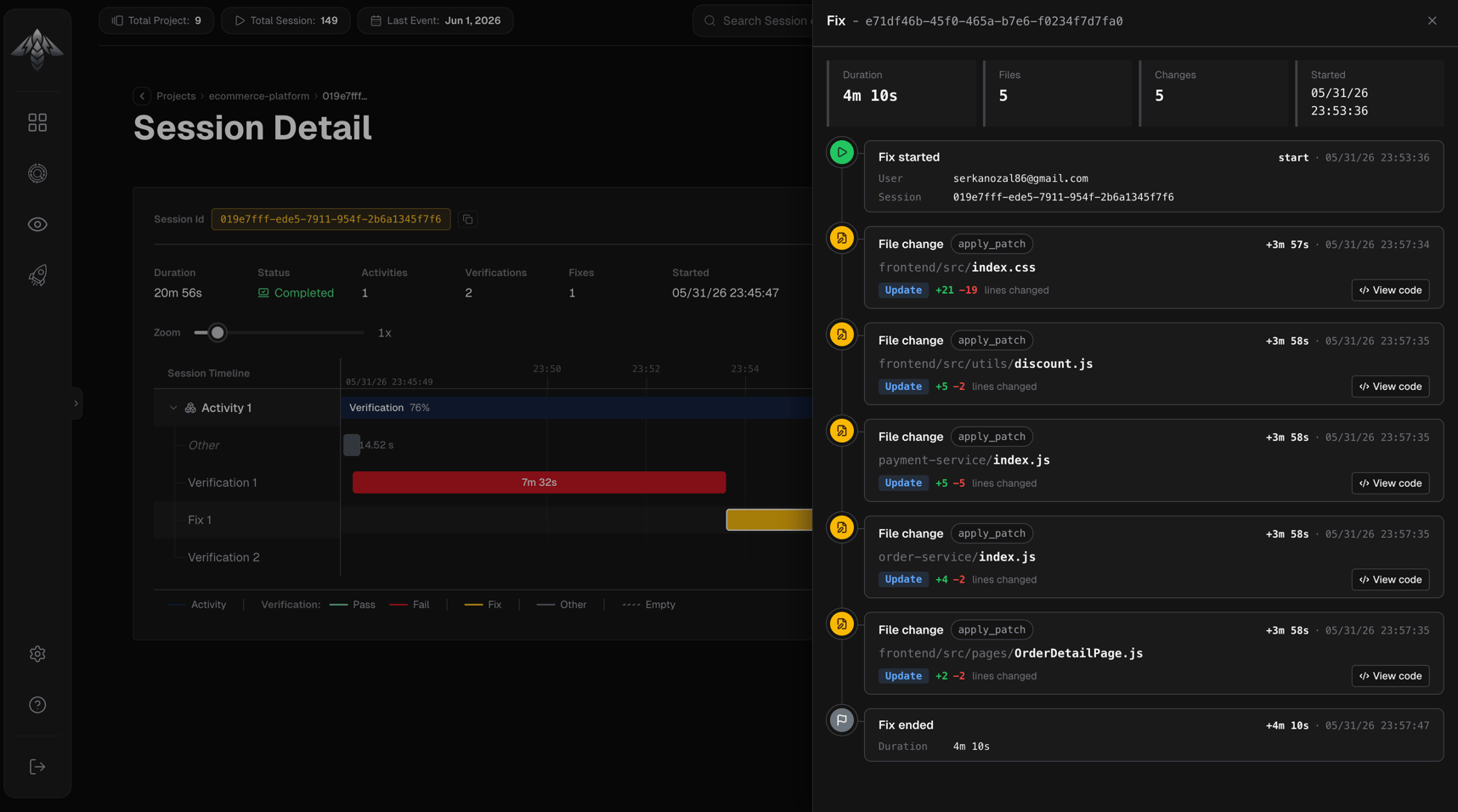
The fix detail panel opens when you click a fix interval in the [Session Timeline](/console/session-timeline). It shows a chronological timeline of everything that happened during the fix which files changed, what the operations were, and the exact code diffs.
 ***
## Header
The panel header shows the fix ID. If the fix is still running, an **In progress** badge appears alongside it.
***
## Stats
Four metrics shown as chips below the header:
| Field | Description |
| -------- | ------------------------------------- |
| Duration | Total elapsed time for this fix |
| Files | Number of unique files modified |
| Changes | Total number of file change events |
| Started | Absolute timestamp when the fix began |
***
## Event timeline
A vertical chronological list of every event recorded during the fix:
### Fix started
* User email that initiated the fix
* Session ID
### File change
Each file edit appears as its own event:
* **File path:** directory (muted) and filename (bold), full path on hover
* **Operation chip:** `create`, `update`, or `delete`
* **Diff stats:** lines added (green) and lines removed (red)
* **View code:** button opens the [Diff Dialog](#diff-dialog) (only shown when changeset data is available)
* **Tool chip:** the tool that made the change
### Fix ended
* Total fix duration
* Reason the fix concluded (if provided)
***
## Diff Dialog
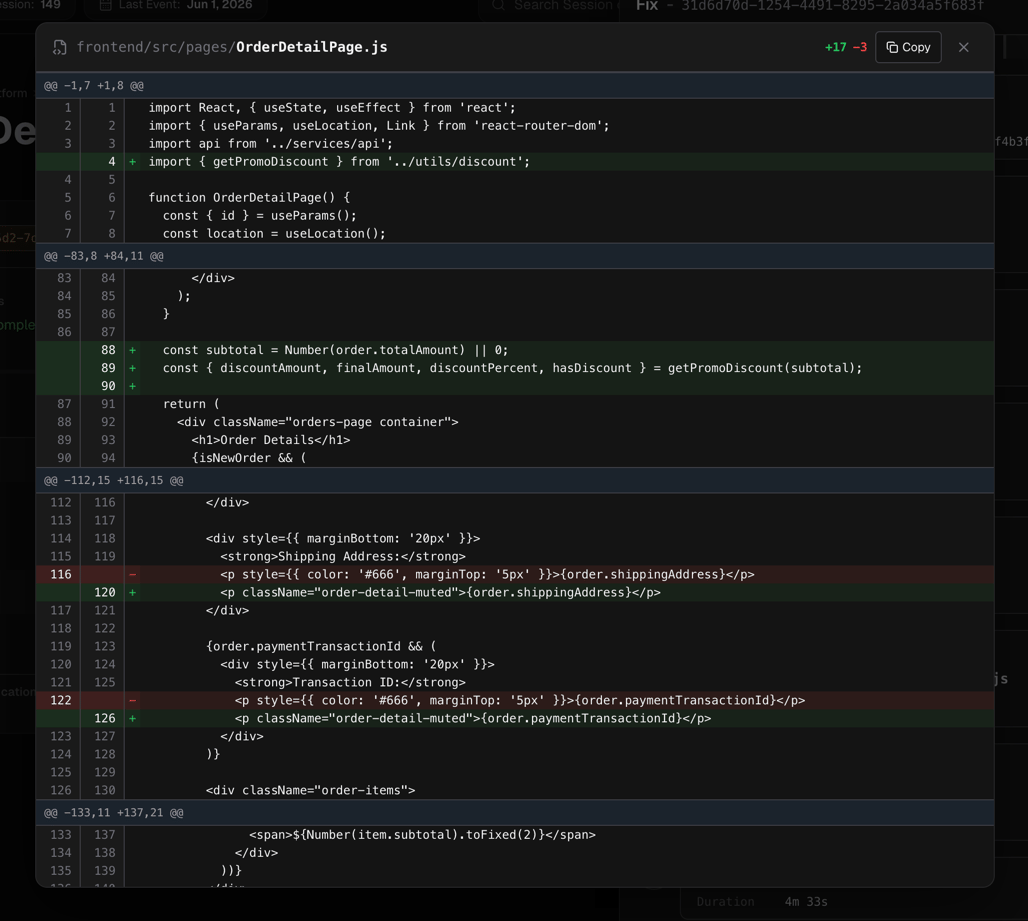
Clicking **View code** on a file change event opens a modal showing the full unified diff for that file:
* **File path** and diff stats (lines added / removed) in the header
* **Copy** button copies the entire changeset to the clipboard
* **Diff table** has columns: old line number, new line number, sign (`+` / `−`), content
* Added lines: green background
* Removed lines: red background
* Hunk headers (`@@ -start,count +start,count @@`): blue background
* Meta lines (e.g., `\ No newline at end of file`): italic, muted
The diff is displayed in unified format only.
***
## Header
The panel header shows the fix ID. If the fix is still running, an **In progress** badge appears alongside it.
***
## Stats
Four metrics shown as chips below the header:
| Field | Description |
| -------- | ------------------------------------- |
| Duration | Total elapsed time for this fix |
| Files | Number of unique files modified |
| Changes | Total number of file change events |
| Started | Absolute timestamp when the fix began |
***
## Event timeline
A vertical chronological list of every event recorded during the fix:
### Fix started
* User email that initiated the fix
* Session ID
### File change
Each file edit appears as its own event:
* **File path:** directory (muted) and filename (bold), full path on hover
* **Operation chip:** `create`, `update`, or `delete`
* **Diff stats:** lines added (green) and lines removed (red)
* **View code:** button opens the [Diff Dialog](#diff-dialog) (only shown when changeset data is available)
* **Tool chip:** the tool that made the change
### Fix ended
* Total fix duration
* Reason the fix concluded (if provided)
***
## Diff Dialog
Clicking **View code** on a file change event opens a modal showing the full unified diff for that file:
* **File path** and diff stats (lines added / removed) in the header
* **Copy** button copies the entire changeset to the clipboard
* **Diff table** has columns: old line number, new line number, sign (`+` / `−`), content
* Added lines: green background
* Removed lines: red background
* Hunk headers (`@@ -start,count +start,count @@`): blue background
* Meta lines (e.g., `\ No newline at end of file`): italic, muted
The diff is displayed in unified format only.