> ## Documentation Index
> Fetch the complete documentation index at: https://docs.ironbee.ai/llms.txt
> Use this file to discover all available pages before exploring further.
# Activities
> The individual actions an AI agent takes within a session.
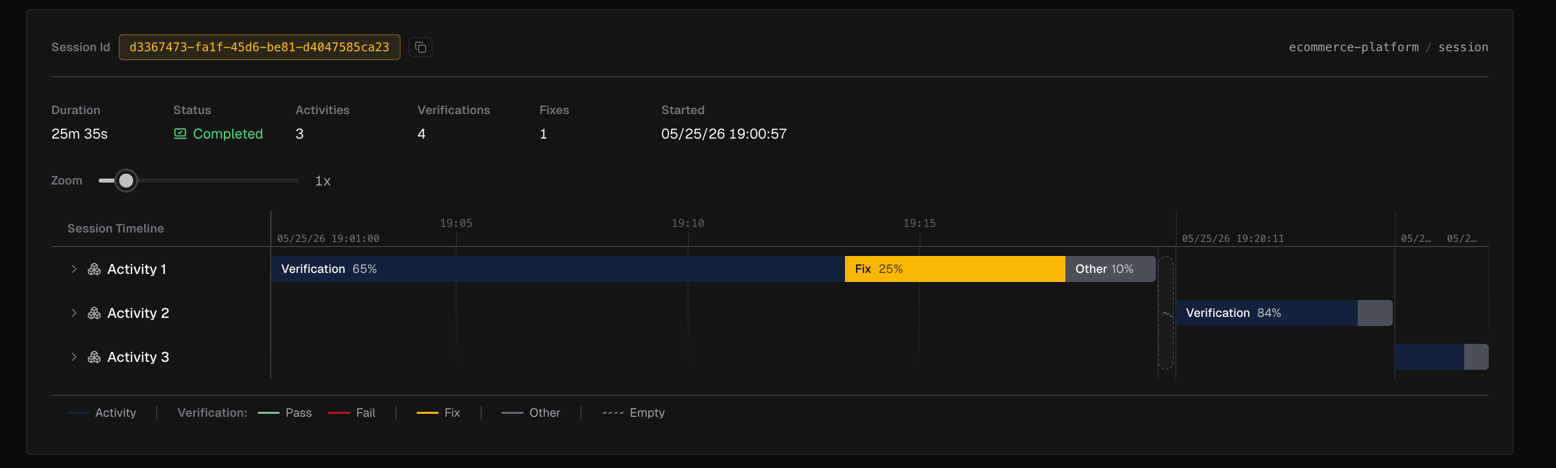
An **activity** is a discrete working period within a session. Activities form the chronological record of everything the agent did, and each one contains a mix of verifications, fixes, and other tool calls.
Activities are accessible through the [Session Timeline](/console/session-timeline). Click any activity bar to select it, or expand it to see the child intervals (verifications, fixes, and other events) nested inside.
***
## Activity types
| Type | Description |
| -------------- | ------------------------------------------------------------------------------------------------------------- |
| `activity` | The parent working period contains verifications, fixes, and other events |
| `verification` | A verification cycle run by the agent |
| `fix` | A fix attempt made after a failed verification |
| `other` | Tool calls and events that don't belong to a verification or fix which are idle time, setup, general tool use |
***
## Detail panels
Clicking an interval in the timeline opens a detail panel on the right. Each interval type has its own panel:
### Activity panel
Shows when you click an activity bar directly (without selecting a child):
| Field | Description |
| ------------ | -------------------------------------------------------------- |
| Label | Activity 1, Activity 2, etc. |
| Duration | Total elapsed time for this activity |
| % of session | How much of the session this activity represents |
| Start / End | Absolute timestamps (End shows "in progress" if still running) |
 ### Verification panel
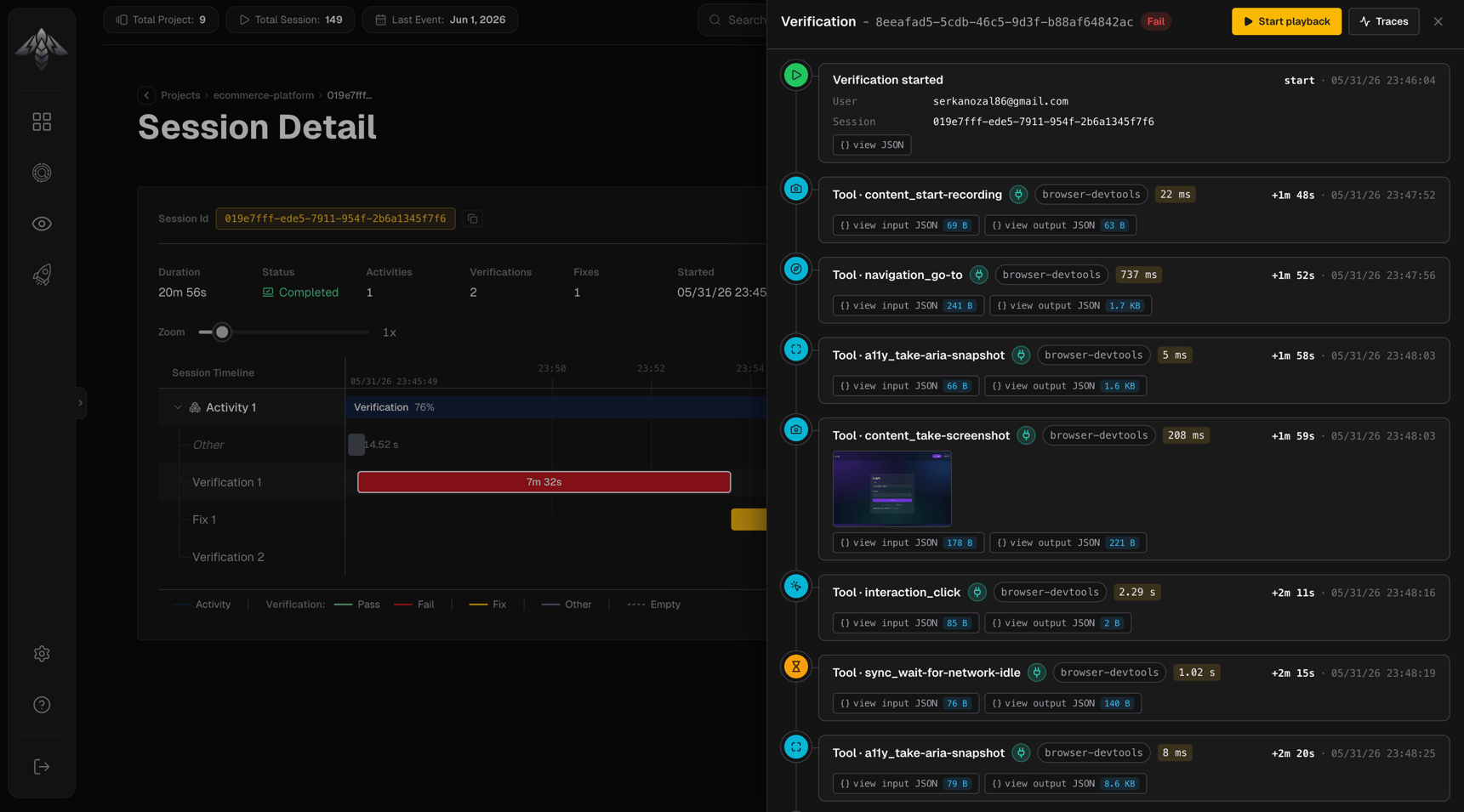
Shows when you click a verification interval:
* **Status badge:** passed, failed, or abandoned
* **Video playback:** browser session recording if available (space/K to play, arrows to seek, J/L for ±10s)
* **Event timeline:** every tool call and assertion in order, with timestamps, input/output sizes, and expandable JSON details
* **Image artifacts:** screenshots shown inline with lightbox
### Verification panel
Shows when you click a verification interval:
* **Status badge:** passed, failed, or abandoned
* **Video playback:** browser session recording if available (space/K to play, arrows to seek, J/L for ±10s)
* **Event timeline:** every tool call and assertion in order, with timestamps, input/output sizes, and expandable JSON details
* **Image artifacts:** screenshots shown inline with lightbox
 ### Fix panel
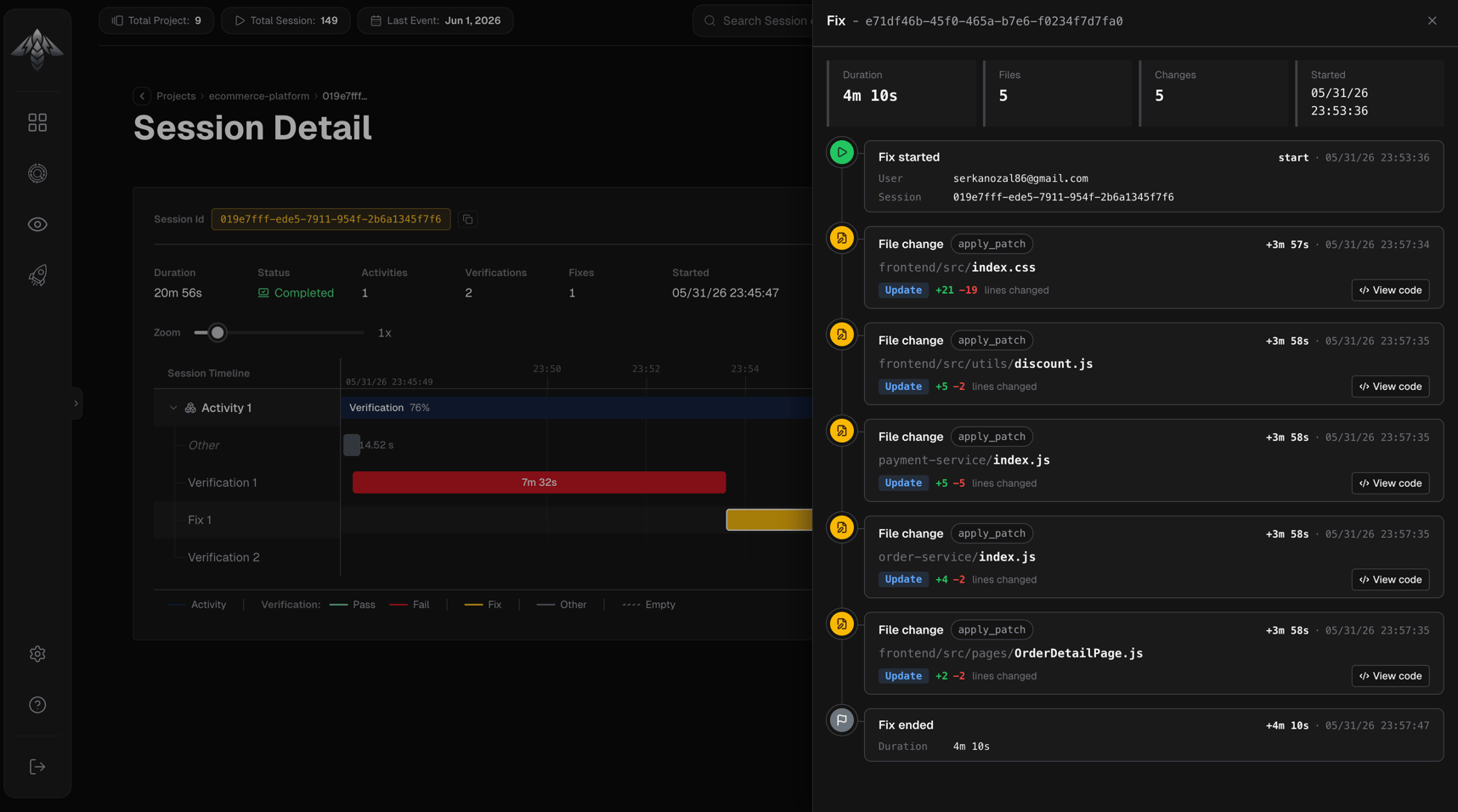
Shows when you click a fix interval:
| Field | Description |
| -------- | ------------------------ |
| Duration | Total fix time |
| Files | Unique files changed |
| Changes | Total file change events |
| Started | Absolute timestamp |
Below the stats, a chronological event list shows each step of the fix:
* **fix\_start:** user and session that initiated the fix
* **file\_change:** file path, operation (create / update / delete), lines added/removed, tool that made the change, and a **View code** button that opens a diff dialog showing the full changeset
* **fix\_end:** total duration and reason the fix concluded
### Fix panel
Shows when you click a fix interval:
| Field | Description |
| -------- | ------------------------ |
| Duration | Total fix time |
| Files | Unique files changed |
| Changes | Total file change events |
| Started | Absolute timestamp |
Below the stats, a chronological event list shows each step of the fix:
* **fix\_start:** user and session that initiated the fix
* **file\_change:** file path, operation (create / update / delete), lines added/removed, tool that made the change, and a **View code** button that opens a diff dialog showing the full changeset
* **fix\_end:** total duration and reason the fix concluded
 ### Other panel
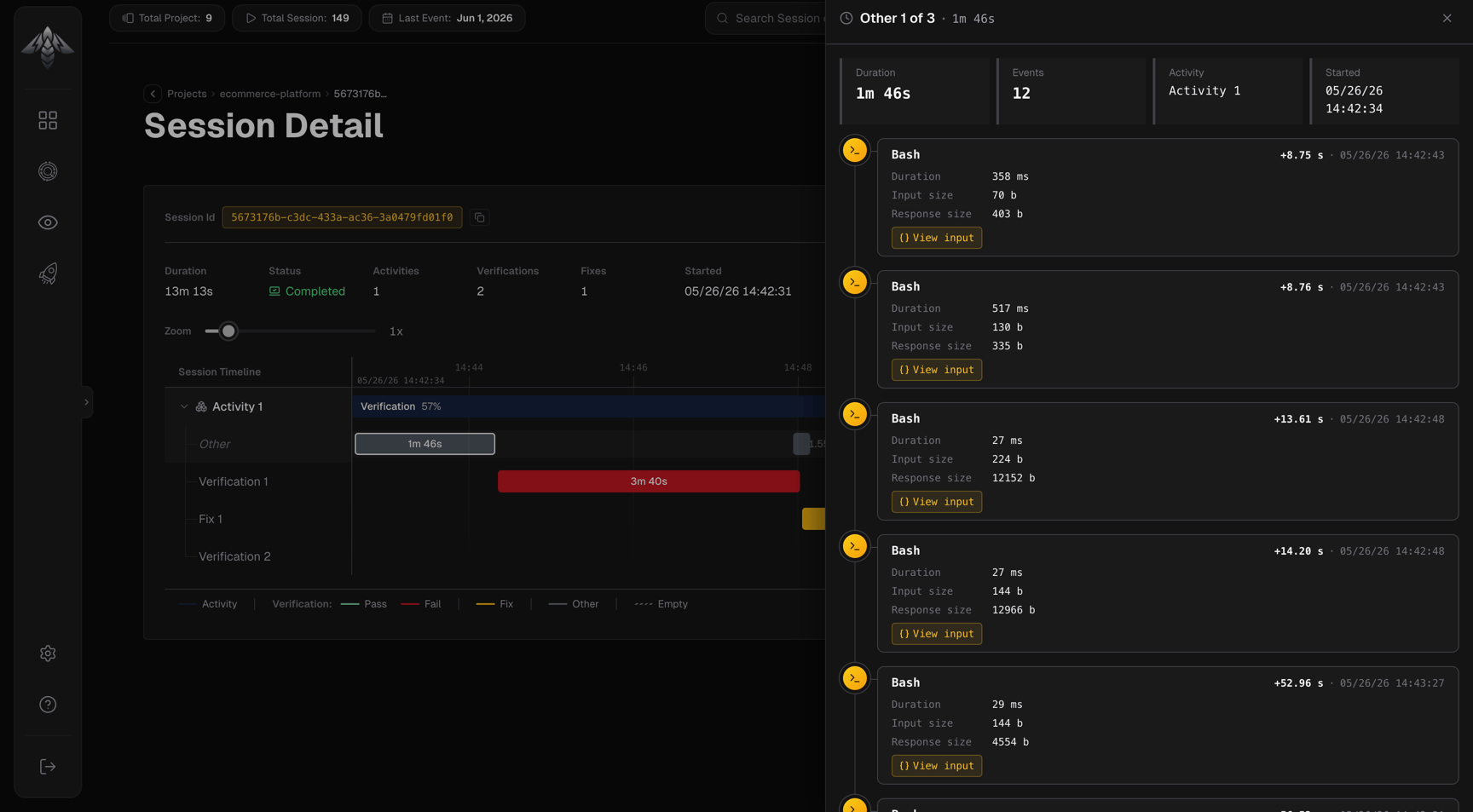
Shows when you click an "other" interval, for events that occurred outside a named verification or fix:
| Field | Description |
| -------- | ------------------------------------- |
| Duration | Time span |
| Events | Count of events in this period |
| Activity | Which parent activity this belongs to |
| Started | Absolute timestamp |
Each event in the list shows the tool name (with MCP server if applicable), relative and absolute timestamp, input size, response size, duration, and any error message. Click the input button to inspect the full tool input JSON.
### Other panel
Shows when you click an "other" interval, for events that occurred outside a named verification or fix:
| Field | Description |
| -------- | ------------------------------------- |
| Duration | Time span |
| Events | Count of events in this period |
| Activity | Which parent activity this belongs to |
| Started | Absolute timestamp |
Each event in the list shows the tool name (with MCP server if applicable), relative and absolute timestamp, input size, response size, duration, and any error message. Click the input button to inspect the full tool input JSON.
 ***
## Reading an activity
A healthy activity typically looks like:
1. **Verification** (passed) → task completes
An activity with issues might look like:
1. **Verification** (failed) → issues found
2. **Fix** → agent corrects the code
3. **Verification** (passed) → task completes
Multiple failed verifications and fixes within one activity signal that the agent struggled with a particular change, a useful signal when reviewing [Quality Analysis](/console/analysis-quality).
***
## Reading an activity
A healthy activity typically looks like:
1. **Verification** (passed) → task completes
An activity with issues might look like:
1. **Verification** (failed) → issues found
2. **Fix** → agent corrects the code
3. **Verification** (passed) → task completes
Multiple failed verifications and fixes within one activity signal that the agent struggled with a particular change, a useful signal when reviewing [Quality Analysis](/console/analysis-quality).