> ## Documentation Index
> Fetch the complete documentation index at: https://docs.ironbee.ai/llms.txt
> Use this file to discover all available pages before exploring further.
# Account
> Account name, API key, and your role within the account.
The Account page shows your IronBee account details and credentials. Access it from the bottom of the sidebar.
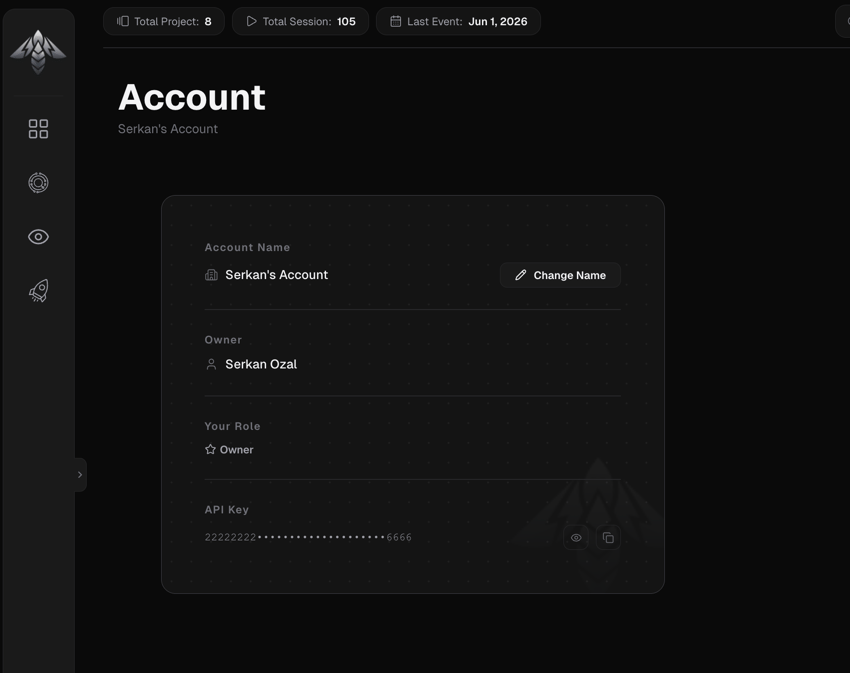 ## Account name
Displays the current account name. Account owners can click **Change Name** to edit it (letters, numbers, and spaces, max 50 characters).
## Owner
The email address of the account owner. Read-only.
## Your role
Your role within this account: Owner, Admin, Member, or Billing Admin.
## API key
Your account API key, used for machine-to-machine authentication with the IronBee Collector for the [GitHub Action](/github-action/get-started/getting-started), CI pipelines, and scripts. For interactive CLI use, `ironbee login` issues a personal [OAuth token](/console/access-tokens) instead; see [Authentication](/cli/guides/authentication) for when to use each.
* The key is masked by default (first 8 + last 4 characters visible)
* Click the **eye icon** to reveal the full key
* Click **Copy** to copy it to the clipboard
To use this key in CI, set it as an environment variable (it takes precedence over config):
```bash theme={null}
export IRONBEE_API_KEY=
```
### Rotate the key
Owners and admins can click **Rotate** to generate a new key. The previous key stays valid for a **24-hour grace window** so existing integrations keep working while you roll out the new one.
* Only one grace key exists at a time. Rotating again while a grace key is still active permanently disables the earlier one, the Console asks you to confirm first.
* Click **Deactivate now** to end the grace window immediately, before the 24 hours are up.
## Account name
Displays the current account name. Account owners can click **Change Name** to edit it (letters, numbers, and spaces, max 50 characters).
## Owner
The email address of the account owner. Read-only.
## Your role
Your role within this account: Owner, Admin, Member, or Billing Admin.
## API key
Your account API key, used for machine-to-machine authentication with the IronBee Collector for the [GitHub Action](/github-action/get-started/getting-started), CI pipelines, and scripts. For interactive CLI use, `ironbee login` issues a personal [OAuth token](/console/access-tokens) instead; see [Authentication](/cli/guides/authentication) for when to use each.
* The key is masked by default (first 8 + last 4 characters visible)
* Click the **eye icon** to reveal the full key
* Click **Copy** to copy it to the clipboard
To use this key in CI, set it as an environment variable (it takes precedence over config):
```bash theme={null}
export IRONBEE_API_KEY=
```
### Rotate the key
Owners and admins can click **Rotate** to generate a new key. The previous key stays valid for a **24-hour grace window** so existing integrations keep working while you roll out the new one.
* Only one grace key exists at a time. Rotating again while a grace key is still active permanently disables the earlier one, the Console asks you to confirm first.
* Click **Deactivate now** to end the grace window immediately, before the 24 hours are up.